 PGari Glowee: Mac brightness with window spotlight
Dim inactive windows on a Mac: what macOS gives you and what an app adds
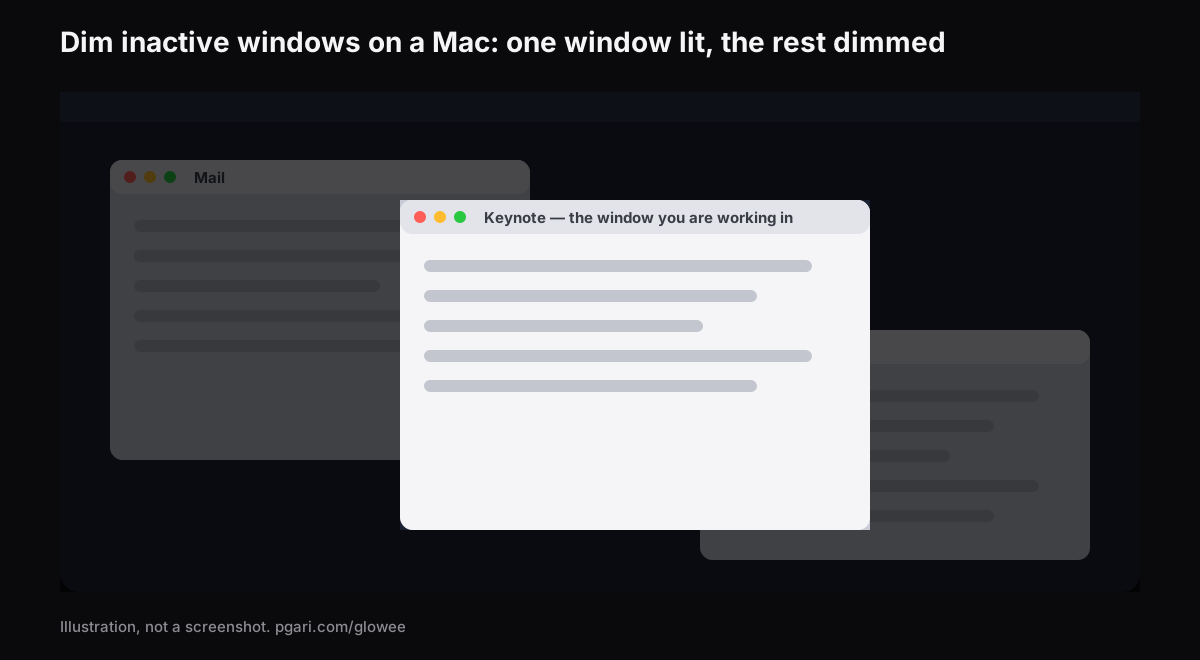
Short answer: Two entirely different problems share this search, so start by splitting them. If you want to dim inactive windows on a Mac — the ones you are not typing in — macOS has nothing for it: Apple's own settings lists for Desktop & Dock and for Accessibility → Display contain no such option, and the window tools in the Mac User Guide work by moving windows out of the way rather than turning them down. Two apps do the job. HazeOver "automatically highlights the front window by dimming background windows" and lets you tune the shade. PGari Glowee does it from a single menu item called Spotlight — Off, Soft or Strong, switched with ⌃ ⌥ ⌘ S, and it asks nothing of the display. If instead the whole screen fades when you stop typing, that is a different complaint entirely: three settings Apple documents, set out at the end of this page.
Which of the two problems is yours?
| What you are seeing | What it is | Where to go |
|---|---|---|
| Every window looks equally bright, and you keep typing into the wrong one | Nothing is dimming. You want window dimming | The two apps below |
| The whole display fades after a minute alone, or looks dimmer off the mains | A macOS setting | The last section |
| The screen is bright but flat, especially near a window on a sunny day | A brightness ceiling, not a clutter problem | MacBook Pro brightness |
What Apple documents for the windows you are not using
The Mac User Guide's window tools all work by removing the other windows rather than fading them.
- Full screen. Press the green button at the window's top-left, or Control-Command-F in apps that support it. Apple's wording: "an app fills the entire screen — so you can take advantage of every inch of the screen and work without desktop distractions."
- Stage Manager. Built, in Apple's phrase, "to keep the app you're working with front and centre, and your desktop clutter-free": recent apps line up down the left-hand side and the current window takes the middle. Switched on at System Settings → Desktop & Dock → Desktop & Stage Manager.
- Hiding the rest. Apple's shortcut list: "To view the front app but hide all other apps, press Option-Command-H."
The only marker macOS gives the active window itself is in the menu bar: "Only one app at a time is active; the name of the app (in bold) and the app menus are shown in the menu bar."
Apple's list of Desktop & Dock settings covers the Dock, the desktop, Stage Manager, widgets, windows and Mission Control, and the Accessibility → Display list covers contrast, transparency, colour inversion and the pointer. Neither contains an option that dims inactive windows; the one dimming entry, Dim widgets on desktop, is about widgets.
All of which is the right answer when one window is all you need, and the wrong one when the others have to stay in view — the source you are quoting, the chat you glance at, the terminal beneath the editor. Dimming leaves the layout alone and simply turns down what you are not using.
Two apps that dim inactive windows on a Mac
HazeOver
HazeOver is the name most people type into Google for this. It describes itself as a Distraction Dimmer for Mac and says it "automatically highlights the front window by dimming background windows." Its site lists:
- Shade intensity, animation speed and the dimming colour, all set by you
- A shortcut key for the shading, and a gesture for how deep it goes
- One set of dimming settings for the Light appearance and another for Dark
- Fn held down to lift the shade briefly while you drag something between apps
- The desktop uncovering itself the moment you use it
- Hooks into the Shortcuts app, Focus filters and AppleScript
- With several monitors: "See which screen is active, or highlight windows on each monitor"
Its current release asks for macOS 12 Monterey or later. HazeOver has a trial of its own, and also sells through the Mac App Store and Setapp.
PGari Glowee
Glowee lives in the menu bar, and the feature that does this job is called Spotlight. In its own words: "Spotlight dims everything except the window you are in."
- Three steps of shade — Off, Soft, Strong — picked by how busy the screen is.
- ⌃ ⌥ ⌘ S switches it from inside any app, and it comes back where you left it.
- Move to a different window and the lit area moves with you.
- Works on whatever you are looking at: XDR or otherwise, built in or external.
- Nothing to configure. One menu, no preferences pane.
Side by side
| HazeOver | PGari Glowee (Spotlight) | |
|---|---|---|
| What it does | Highlights the front window by dimming background windows | Dims everything except the window you are in |
| How much shade | Intensity, colour and animation speed you adjust | Three settings: Off, Soft, Strong |
| Switching it | Keyboard shortcut; gesture for intensity; Fn while dragging | ⌃ ⌥ ⌘ S, or the menu bar |
| Light and Dark appearance | Separate settings for each | Nothing to set beyond the menu |
| Automation | Shortcuts app, Focus filters, AppleScript | None. You switch it yourself |
| Displays | "See which screen is active, or highlight windows on each monitor" | Any display, built in or external |
| Requires | macOS 12 Monterey or later | macOS 13 or later, Apple silicon and Intel |
| Trying and buying | Free trial; Mac App Store; Setapp | Free for 7 days; one-off purchase — one Mac, or three Macs on one key; 30-day refund |
Every entry above is drawn from the maker's own pages.
The choice is not close if you know what you want. Tunable shade, a tint, something that changes with Dark Mode or follows a Focus: HazeOver's site lists a control for each. One switch and nothing to configure: Glowee. And Glowee does a second thing, which only matters if your Mac has an XDR panel.
On an XDR panel: darker outside the window, brighter inside it
Dimming makes the background darker. It does nothing for the window you are reading. On a MacBook Pro 14″ or 16″ from 2021 onwards, a Pro Display XDR or another EDR display, Glowee can move both at once. Set Boost Area to Active Window and the window you are in is lifted past the macOS slider's maximum — by a factor of 1.20, 1.38 or 1.50 at Low, Medium and Max, within the headroom the display has free. Add Spotlight and the lit window climbs while everything else steps back.
That half depends on the panel. A MacBook Air and ordinary external monitors have no EDR headroom and cannot be lifted; Spotlight still works on them, because plain dimming needs nothing special. The MacBook Pro brightness guide covers the numbers.
The dimming is recorded; the brightness is not
The shade Spotlight lays down is an on-screen layer, so a capture picks it up exactly as it picks up a window. Present from an ordinary window, or record a walkthrough, and your audience gets the same view you have: one window lit, the surroundings turned down, and no masking to do afterwards. Extra Brightness goes the other way — captures leave it out, so footage shot on a lifted screen plays back looking perfectly ordinary.
Both halves are covered in more depth under Spotlight in screen recordings and marking out the window in front.
If you meant a Mac that dims itself
Look at the questions Google hangs off this search and most of them turn out to be about the display, not the windows: a screen that fades or goes black when the Mac is left to itself. Three documented settings cover it.
- The display goes off too soon. System Settings → Lock Screen. Turn display off on battery when inactive and Turn display off on power adapter when inactive each take a time; pick a longer one.
- It is dimmer away from the mains. System Settings → Battery, under Additional Options: Slightly dim the display on battery — "Conserve energy by dimming the display when your Mac is not plugged in."
- Brightness moves on its own. On a Mac with an ambient light sensor, System Settings → Displays has Automatically adjust brightness. Apple's note before you switch it off: doing so "may affect battery life, energy consumption and long-term display performance."
Questions people ask
Is there an application to dim all windows except the active one?
At least two, and they take opposite approaches to the same job. HazeOver shades the background windows and gives you intensity, colour and automation to play with. PGari Glowee turns down everything but the window you are in, using three fixed steps and the shortcut ⌃ ⌥ ⌘ S — and on an XDR panel it will brighten that window into the bargain.
Can macOS dim inactive windows without an app?
Nothing in Apple's documentation describes a setting that will dim inactive windows on a Mac; neither the Desktop & Dock list nor the Accessibility → Display list contains one. What macOS offers instead is removal: full screen gives the display over to a single app, Stage Manager pushes the others to the left-hand edge, and Option-Command-H hides them outright.
How do I stop my Mac dimming so quickly?
Two places. In System Settings → Lock Screen, the two Turn display off … when inactive settings each take a time you can raise. In System Settings → Battery, under Additional Options, switch off Slightly dim the display on battery.
How do I stop my Mac adjusting brightness by itself?
Switch off Automatically adjust brightness under System Settings → Displays. You will only find the setting on Macs that have an ambient light sensor fitted.
Does window dimming work on a MacBook Air or an external monitor?
It does. Spotlight is ordinary dimming, so it asks nothing of the hardware and runs on a built-in screen or a plugged-in one alike. It is only the extra brightness that insists on an XDR or other EDR panel.
What is the best focus app for Mac?
Depends what is pulling you away. If it is notifications, macOS already ships the answer in Focus. If it is a screen with too much on it, that is a dimmer's job — and the difference is spelled out in keeping one window in focus on a Mac.
Is there a free way to try it?
Glowee runs in full for 7 days: every feature, nothing locked, no account. After that it is a one-off purchase — one Mac, or three Macs on one key — and you have 30 days to ask for your money back. HazeOver has a free trial of its own.
Try it on your own screen
PGari Glowee is a single menu bar app of under 2 MB, for macOS 13 or later, universal across Apple silicon and Intel. Nothing goes into the system — no kernel extensions, no background helpers — and quitting it puts the display straight back.
More Glowee guides
- An ADHD focus app for the Mac: a screen tool, and nothing more
- Focus on a window on a Mac: what Focus mode does, and what it leaves alone
- Highlight the active window on a Mac: dim the rest, or brighten the one
- MacBook Pro brightness: where the slider stops and the panel carries on
- Screen record on a Mac, and make it obvious which window you mean
Sources
- support.apple.com/en-gb/guide/mac-help/mchl9c21d2be/mac
- support.apple.com/en-gb/guide/mac-help/mchl534ba392/mac
- support.apple.com/en-gb/guide/mac-help/mchlp2469/mac
- support.apple.com/en-gb/102650
- support.apple.com/en-gb/guide/mac-help/mchlp1119/mac
- support.apple.com/en-gb/guide/mac-help/unac089/mac
- support.apple.com/en-gb/guide/mac-help/mh11784/mac
- support.apple.com/en-gb/guide/mac-help/mchlfc3b7879/mac
- support.apple.com/en-gb/guide/mac-help/mchlp2704/mac
- hazeover.com