 PGari Glowee: Mac brightness with window spotlight
How to dim inactive windows on a Mac and keep one in the light
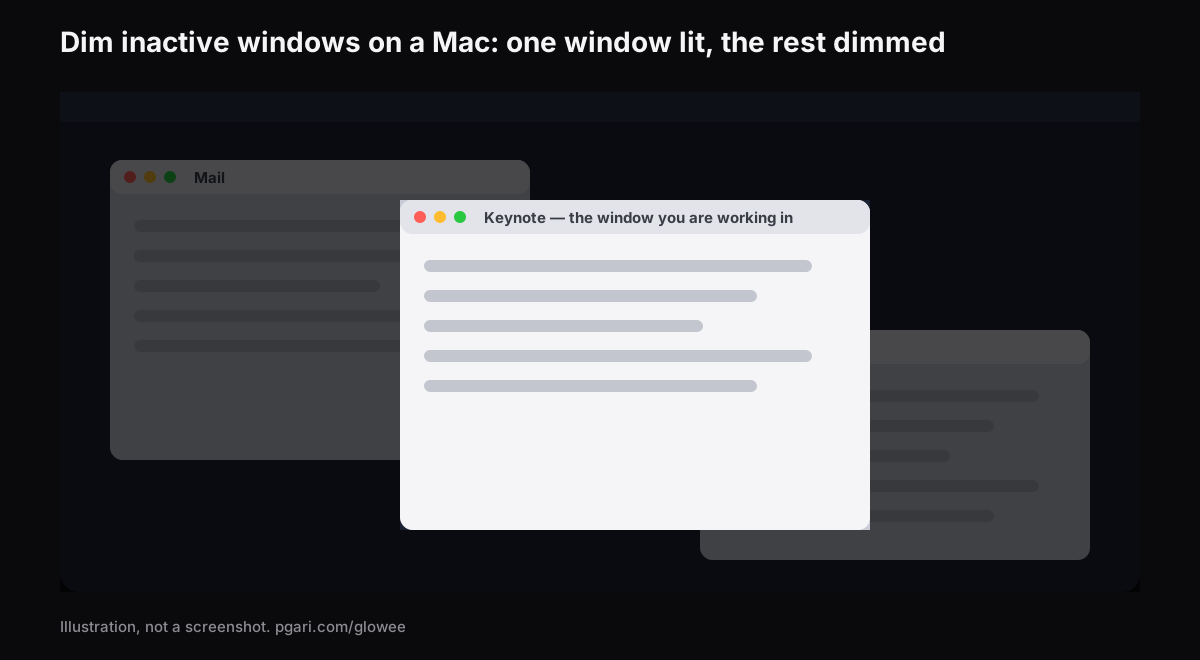
Short answer: Apple documents no built-in way to dim inactive windows on a Mac. Its own settings lists — Desktop & Dock, and Accessibility → Display — contain no such option, and the window tools in the Australian Mac User Guide all work by moving the other windows out of the way instead: full screen fills the display with one app, Stage Manager parks the rest along the left edge, and Option-Command-H hides them. Two apps do actually dim. HazeOver, the one most people search for by name, "automatically highlights the front window by dimming background windows" and gives you a lot of dials. PGari Glowee does it with one setting on its menu, called Spotlight: Off, Soft or Strong, toggled with ⌃ ⌥ ⌘ S, on any Mac display.
If you arrived here with the opposite problem — a Mac that dims itself the moment you stop typing — skip to the last section. Most of the related questions Google shows for this search are about that, not about windows.
What macOS actually does with the windows you are not using
The Australian Mac User Guide describes three tools, and every one of them removes the other windows rather than turning them down.
- Full screen. Click the green button in the top-left corner, or press Control-Command-F where the app supports it. Apple's wording: "an app fills the entire screen — so you can take advantage of every inch of the screen and work without desktop distractions." You can still bring a second app in beside it with Split View.
- Stage Manager. Apple describes it as keeping "the app you're working with front and centre, and your desktop clutter-free", with your recent apps "neatly arranged along the left side of the screen". You switch it on under System Settings → Desktop & Dock → Desktop & Stage Manager, or straight from Control Centre.
- Putting the rest out of sight. From Apple's own shortcut list: "To view the front app but hide all other apps, press Option-Command-H."
Apple's full list of Desktop & Dock settings — Dock, Desktop & Stage Manager, Widgets, Windows, Mission Control — has exactly one dimming entry, Dim widgets on desktop, and that chooses a style for widgets. The Accessibility → Display list (invert colours, increase contrast, reduce transparency, differentiate without colour, window title icons, toolbar button shapes, display contrast) has none at all.
All three are exactly right when one window really is the whole job. They are exactly wrong when the rest have to stay on screen: the PDF you are writing from, the reading list, the terminal beneath the editor, the group chat you glance at between paragraphs. Dimming takes a different line — nothing moves, and the windows you are not in simply go quiet.
Two apps that dim inactive windows on a Mac
HazeOver
HazeOver is the name most Australians type into Google for this, and it is the most configurable of the two. Its own page opens with the case: "Too many windows to manage? Typed into the wrong window? Large display? Or getting lost across multiple monitors?" What it does, in its own words, is "automatically highlights the front window by dimming background windows". The controls it lists:
- Intensity and animation speed under your control, anywhere between "a soft shade to guide your attention" and "a bold dark background for total immersion"
- A shortcut key for the shading itself, plus a gesture that dials the intensity up and down
- Dark and Light appearance each carrying its own dimming setting
- Fn held down to lift the dimming briefly while something is dragged between apps
- The desktop uncovering itself the moment you go to use it
- Control and automation through the Shortcuts app, Focus filters and AppleScript
- With more than one monitor: "See which screen is active, or highlight windows on each monitor"
It also makes a claim about comfort rather than concentration — "Helps reduce eye strain and overall glare" — which is worth noting if you work in a room with a lot of window. The current version requires macOS 12 Monterey or later, there is a free trial, and it is also offered through Setapp. HazeOver calls itself a Distraction Dimmer™, which is its own trademark.
PGari Glowee
Glowee lives in the menu bar, and Spotlight is the name of its dimming half. Its own page puts it in one line: "Spotlight dims everything except the window you are in."
- Three positions: Off, Soft and Strong — the busier the screen, the stronger.
- ⌃ ⌥ ⌘ S flips it from inside whatever app you are in, and it comes back at the level you left it.
- The light moves to whichever window you click.
- Any Mac display will run it, XDR or not, laptop panel or external monitor.
- No preferences pane exists. One menu holds everything the app does.
Side by side
| HazeOver | PGari Glowee (Spotlight) | |
|---|---|---|
| The job it does | Highlights the front window by dimming background windows | Dims everything except the window you are in |
| How much dimming | Intensity and animation speed you adjust | Three settings: Off, Soft, Strong |
| Turning it on and off | Shortcut key; gesture for intensity; Fn while dragging | ⌃ ⌥ ⌘ S, or the sun in the menu bar |
| Light and Dark appearance | One setting per appearance | Nothing to configure past the menu |
| Automation | Shortcuts app, Focus filters, AppleScript | None. You switch it yourself |
| Several monitors | "See which screen is active, or highlight windows on each monitor" | Spotlight works on any display, built in or external |
| What it needs | macOS 12 Monterey or later | macOS 13 or later, Apple silicon and Intel |
| Trial and price | Free trial; also on Setapp | Free for 7 days; a one-off purchase — one Mac, or three Macs on one key; 30-day refund |
Each column is taken from that app's own site: hazeover.com and pgari.com/glowee/.
Both apps dim inactive windows on a Mac and leave your layout alone; what differs is how much there is to adjust and how you switch it. Choosing between them is mostly about temperament. If you want to tune the shade, run one setting in Dark Mode and another in Light, or have the dimming change automatically with a Focus, HazeOver lists a control for each of those. If you want one chord and nothing to set up, that is Glowee. Glowee also does a second thing, which only matters on some Macs.
On an XDR display: darker outside the window, brighter inside it
Dimming darkens what is behind. The window you are actually reading is untouched by it. On a MacBook Pro 14-inch or 16-inch from 2021 onwards, a Pro Display XDR, or another EDR display, Glowee can do both at once: set Boost Area to Active Window and the window you are in is lifted past the brightness slider's maximum by a factor of 1.20, 1.38 or 1.50 at Low, Medium and Max, within the headroom the panel has. With Spotlight on as well, the lit window gets brighter while the rest steps back.
That half depends on the panel. A MacBook Air and ordinary external monitors have no headroom to open, so they cannot be boosted — but Spotlight still works on them, because it is plain dimming. The full picture is in the MacBook Pro brightness guide.
Dimmed windows in recordings and on a shared screen
Because Spotlight is painted onto the screen, a screenshot or a screen recording takes it in along with everything else. Record a tutorial from an ordinary window, or share that screen live, and your audience gets the same view you have: one window lit, the others pushed back, and no masking to do in the edit. The brightness boost behaves the other way around — it is left out of captures, so a recording made on a boosted screen looks perfectly normal.
More on that: Spotlight in screen recordings and highlighting the active window.
If you meant a Mac screen that dims by itself
Different problem, and Apple documents three settings for it.
- The screen goes dark too early. Look in System Settings → Lock Screen, where Turn display off on battery when inactive and Turn display off on power adapter when inactive each hold a time. Set them longer.
- It is dimmer the moment you unplug. System Settings → Battery, under Additional Options: Slightly dim the display on battery — "Conserve energy by dimming the display when your Mac is not plugged in."
- The brightness moves on its own. On a Mac with an ambient light sensor, System Settings → Displays has Automatically adjust brightness. Apple warns that turning it off "may affect battery life, energy consumption and long-term display performance."
Questions people ask
Is there an application to dim all windows except the active one?
There are at least two that dim inactive windows on a Mac. HazeOver turns down the background windows, with the intensity adjustable and automation on top. PGari Glowee turns down everything but your current window, using three fixed levels and the shortcut ⌃ ⌥ ⌘ S, and on an XDR display it can brighten that window as well.
Can macOS do this on its own, without an app?
Nothing Apple documents will do it. The option is absent from the Desktop & Dock settings list and absent from the Accessibility → Display list. What macOS offers instead is full screen, which hands the display to one app; Stage Manager, which parks the others down the left edge; and Option-Command-H, which hides them.
How do I stop my Mac from dimming so quickly?
Two panels between them own it. The pair of Turn display off … when inactive timers live in System Settings → Lock Screen; Slightly dim the display on battery lives in System Settings → Battery, under Additional Options.
How do I stop my Mac adjusting the brightness on its own?
Turn Automatically adjust brightness off in System Settings → Displays. Apple points out that the option is only there on Macs fitted with an ambient light sensor.
Will the dimming work on a MacBook Air, or on an external monitor?
Spotlight does, on anything, since plain dimming is all it is. The extra brightness is the half that requires an XDR or other EDR panel.
What is the best focus app for Mac?
Entirely depends on what is pulling you off task. For notifications the answer is Focus, already sitting in macOS. For a screen with too much on it, the answer is a window dimmer. The differences are laid out in focusing on one window on a Mac.
Can I try it without paying?
Seven free days with nothing locked away, no account and no card. After that it is a one-off purchase — one Mac, or three Macs on one key, with a 30-day refund. HazeOver runs a free trial of its own as well.
Try it on your own screen
PGari Glowee is a single menu bar app of under 2 MB, running on macOS 13 or later, Apple silicon and Intel alike. Nothing is installed at kernel level and nothing runs in the background; quit it and the screen is back where it started.
More Glowee guides
- An ADHD focus app for Mac, judged by what it actually changes on screen
- How to keep the focus on a window on a Mac
- How to highlight the active window on a Mac without an outline
- MacBook Pro brightness: how to get past the slider in daylight
- How to screen record on a Mac and put a spotlight on the window you are explaining
Sources
- hazeover.com
- support.apple.com/en-au/guide/mac-help/mchlp1119/mac
- support.apple.com/en-au/guide/mac-help/unac089/mac
- support.apple.com/en-au/guide/mac-help/mchlp2469/mac
- support.apple.com/en-au/guide/mac-help/mchl9c21d2be/mac
- support.apple.com/en-au/guide/mac-help/mchl534ba392/mac
- support.apple.com/en-au/102650
- support.apple.com/en-au/guide/mac-help/mh11784/mac
- support.apple.com/en-au/guide/mac-help/mchlfc3b7879/mac
- support.apple.com/en-au/guide/mac-help/mchlp2704/mac