 PGari Glowee: Mac brightness with window spotlight
How to keep the focus on a window on a Mac
Short answer: Search for how to focus a window on a Mac and you get two unrelated things wearing the same word. The first, the Focus in System Settings and Control Centre that everyone calls Focus mode, governs notifications and nothing else. Apple describes it as a way to "pause and silence all notifications or allow only certain notifications", and its full settings list covers allowed people and apps, schedules, Focus filters for Calendar, Mail, Messages and Safari, and sharing your Focus status. Nothing on that list dims, hides or arranges a window. For windows, the Mac User Guide offers full screen, Stage Manager and Option-Command-H, and all three work by taking the other windows away. If you would rather leave them where they are and simply stop them competing, an app has to dim them: PGari Glowee's Spotlight dims everything except the window you are in, on any Mac display, with ⌃ ⌥ ⌘ S. Focus looks after your notifications; Spotlight looks after your screen. Neither replaces the other.
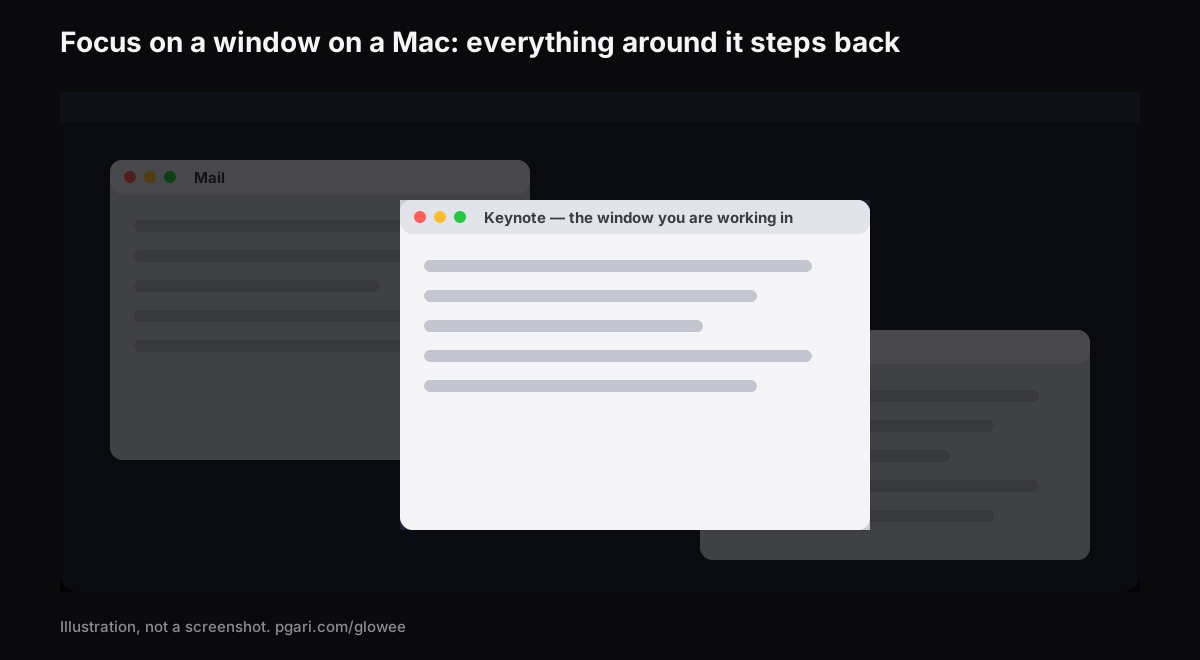
Below: what Apple's Focus actually does and how to switch it on and off, then every way to put one window forward, with what each one costs you.
What Focus mode on a Mac does
What Apple means by a Focus is a set of rules about notifications. Do Not Disturb is simply one of them; Apple's own phrasing is "the Do Not Disturb Focus", and it "is always available". It appears in the same list as anything you add — Work, Gaming — and anything you build yourself. A Focus can pause and silence everything, or let through only the people and apps you nominate.
Turning one on. Click Control Centre in the menu bar, click anywhere in the Focus section, then click the Focus you want. Its icon lights up in the list and appears in the menu bar. You can pick a duration — "For 1 hour" is Apple's own example — and if you turn it on during a calendar event there is an "Until the end of this event" option, which is the one worth knowing before a two-hour workshop. Do Not Disturb has its own shortcut: Option held down while you click the date and time in the menu bar.
Turning one off. Open the same list and click the Focus again. Its icon stops being highlighted.
Setting one up. System Settings → Focus. Click Add Focus and choose one Apple provides, such as Gaming or Work, or click Custom and make your own; you can create up to ten. Inside a Focus:
- Allowed People and Allowed Apps set who is still permitted to reach you. Alongside them sits "Allow repeated calls", which admits anyone ringing two or more times inside three minutes — the setting that stops a real emergency being silenced with everything else.
- Set a Schedule starts the Focus on a clock, at a place, or with an app. Apple spells the app version out word for word — the Focus turns on when you open the app, and turns off when you close it or switch to another app.
- Focus Filters alter the behaviour of Calendar, Mail, Messages and Safari for as long as the Focus runs. The examples Apple gives: a set of Safari Tab Groups that surface in the Work Focus, and a work calendar hidden inside the Personal Focus.
On a Mac with Apple Intelligence turned on there is also a Reduce Interruptions Focus, "which shows you only the most important notifications".
Across your devices. If you keep Focus up to date across your Apple devices, turning a Focus on or off on the Mac does the same on your iPhone and iPad. That is the Share across devices setting in System Settings → Focus. In the same place, Focus status lets people who message you know that you have silenced notifications — they can still choose to notify you anyway if it is important.
What Focus settings do not cover: the windows
Apple's own table of Focus settings runs: the Focus list, Add Focus, Share across devices, Focus status, and then, inside each Focus, its name and icon, Intelligent Breakthrough & Silencing, Allowed People, Allowed Apps, Set a Schedule, Focus Filters and Delete Focus. Every entry concerns which notifications reach you, when the Focus runs, or how four Apple apps behave. Not one of them touches a window.
A Focus can stop the banner. For the windows themselves, macOS offers something else — and an app adds a fourth option.
| Tool | How to switch it on | What happens to your other windows |
|---|---|---|
| Focus (Do Not Disturb, Work, …) | Control Centre → Focus | Nothing at all. The Focus settings deal in notifications, schedules and Focus filters |
| Full screen | Green button top-left, or Control-Command-F where supported | The app fills the entire screen |
| Stage Manager | System Settings → Desktop & Dock → Desktop & Stage Manager, or Control Centre | Parked along the left side; the window you are working with sits in the centre |
| Hiding the other apps | Option-Command-H | Out of sight. The front app is the only one left showing |
| PGari Glowee, Spotlight | ⌃ ⌥ ⌘ S, or the sun in the menu bar | Still in place, down to the pixel, only dimmed |
The first four rows come from Apple's Australian Mac User Guide and keyboard shortcut list; the last from pgari.com/glowee/. Those five rows are the whole set of ways to focus a window on a Mac that either Apple or an app offers, and only the last one leaves your other windows visible.
Full screen goes furthest, and Apple's phrase for it is "work without desktop distractions". The price is that your other windows are no longer beside it — you can bring one back with Split View, and that is the limit. If you write from a source, code against documentation, mark up a set of submissions, or keep a call open while you take notes, you need two or three windows in view and you still want one of them to be the obvious place to look. That is the gap dimming fills.
Focus on a window on a Mac: dim everything else
PGari Glowee sits in the menu bar. Spotlight, its dimming half, "dims everything except the window you are in" — and your arrangement of windows is left exactly as you built it.
- Three positions: Off, Soft and Strong — the busier the screen, the stronger.
- One chord: ⌃ ⌥ ⌘ S flips Spotlight from any app, and it comes back at the level you left it.
- It keeps up with you. The light moves to whichever window you click. Which window counts as active is your decision, made by clicking; the app simply follows.
- Any Mac screen. Plain dimming needs no particular panel, so an Air is fine and so is the second monitor at a hot desk.
On a MacBook Pro 14-inch or 16-inch from 2021 onwards, or any other XDR or EDR display, a second half opens up. With Boost Area set to Active Window, the extra light goes to your current window alone — past the point at which the macOS slider gives up. With Spotlight on as well, the lit window gets brighter while everything around it steps back. That part needs the panel — a MacBook Air cannot be boosted, and Spotlight alone is what you get there. The MacBook Pro brightness guide explains why.
There is no link of any kind between Glowee and Apple's Focus. Spotlight is switched by you, at the menu or with the chord, and by nothing else. Notifications are outside its remit entirely, so a Focus remains the thing that keeps banners off the screen.
The other app that dims windows
Type window dimming into Google and HazeOver is the name that comes back. Its own line for what it does is that it "automatically highlights the front window by dimming background windows", and unlike Glowee it can be wired into Apple's Focus: the site lists control and automation via the Shortcuts app, Focus filters and AppleScript. If having the dimming come on automatically with your Work Focus matters to you, HazeOver has that and Glowee does not. The two are set side by side in how to dim inactive windows on a Mac.
The three things people mean by "focus app for Mac"
Searches for a focus app lead to tools that solve quite different problems, and knowing which one you are after saves an afternoon of trials.
- Blockers and timers. The Mac app that is literally called Focus describes itself as "a Mac app that removes distractions so you can focus and do your best work": it "prevents you from going to distracting websites", can "also block distracting apps", and ships with "built-in timers for productivity and the Pomodoro technique". Glowee is nothing of the sort — it blocks nothing and times nothing.
- Notification control. Apple's Focus, already on the Mac and costing nothing.
- Window dimmers. Glowee and HazeOver, which turn down whatever surrounds the window in use.
These do not compete. A blocker decides what you can open, Focus decides what can interrupt you, and a dimmer decides what on the screen pulls your eye. Plenty of people run one of each.
If you are reading this because of ADHD, there is a separate page for that. Glowee makes no medical claim of any kind; it dims what is around the window, and this page claims nothing more.
A practical way to set it up
If you want one arrangement that covers a working day rather than a list of options:
- Make a Work Focus in System Settings → Focus, allow the two or three people who genuinely need to reach you, and give it a time schedule — or an app-based schedule tied to the app you do the real work in, so it starts itself.
- Leave the windows where they are. Do not go full screen if you actually need the reference beside you.
- Press ⌃ ⌥ ⌘ S when you sit down, and again when you get up. Soft for a tidy screen, Strong when there are six windows and a chat.
- On a MacBook Pro, set Boost Area to Active Window so the lit window is brighter as well as the only bright thing — worth it in a room with a lot of afternoon sun on the desk.
Questions people ask
What does Focus mode on a Mac do?
It quiets notifications, or admits only the ones you nominate. It will run to a schedule, filter what Calendar, Mail, Messages and Safari display, and stay in step with your other Apple devices. Nowhere in Apple's list of Focus settings is there an entry for dimming or arranging a window.
How do I turn on Focus mode on my MacBook?
Control Centre in the menu bar, then the Focus section, then the Focus you want — Do Not Disturb, for instance. Building one first happens in System Settings → Focus.
How do I turn off Focus mode on my Mac?
Same route: Control Centre, the Focus section, then a click on the one that is highlighted. Do Not Disturb also answers to Option held down while you click the date and time in the menu bar. If it will not stay off, look at Set a Schedule inside that Focus and at Share across devices — a Focus started on your iPhone starts here as well.
Is Focus mode the same as Do Not Disturb?
Do Not Disturb is one of several. Apple names it "the Do Not Disturb Focus" and says it is always available; Work, Personal, Gaming and anything you make yourself fill out the rest of the list.
Should Focus mode be on or off?
On while you need quiet, off when you need to be reachable. Since Apple lets you schedule it by time, place or app, the better answer is usually to set it once and stop deciding.
Is there a keyboard shortcut to focus a window on a Mac?
For moving between windows, yes: Apple's shortcut list gives **Command-** to "activate the next open window in the front app", and Shift-Command- to go back. For dimming the rest, Glowee's shortcut is ⌃ ⌥ ⌘ S. Apple's own shortcut list contains nothing that dims background windows, and no such option appears in Apple's Desktop & Dock or Accessibility → Display settings lists either.
Why is my active window on my Mac losing focus?
A third sense of the word, this one meaning which window is currently active. Apple's guide states that "only one app at a time is active". It is not covered by Apple's Focus pages, and Glowee has no hand in it either — the app follows the window you click and nothing more. No troubleshooting for it is offered here.
Does the dimming need an XDR display?
No. Any display runs Spotlight, laptop panel or external monitor. It is the extra brightness in the active window that wants an XDR or other EDR panel.
Is any of this free to try?
Apple's Focus comes with macOS. Glowee gives you seven free days with nothing held back, no account and no card. After that it is a one-off purchase — one Mac, or three Macs on one key, with a 30-day refund.
Try it on your own screen
PGari Glowee is a single menu bar app of under 2 MB, running on macOS 13 or later, Apple silicon and Intel alike. Nothing is installed at kernel level and nothing runs in the background; quit it and the screen is back where it started. Related: dimming inactive windows and Spotlight in screen recordings.
More Glowee guides
- An ADHD focus app for Mac, judged by what it actually changes on screen
- How to dim inactive windows on a Mac and keep one in the light
- How to highlight the active window on a Mac without an outline
- MacBook Pro brightness: how to get past the slider in daylight
- How to screen record on a Mac and put a spotlight on the window you are explaining
Sources
- support.apple.com/en-au/guide/mac-help/mchl613dc43f/mac
- support.apple.com/en-au/guide/mac-help/mchl999b7c1a/mac
- support.apple.com/en-au/guide/mac-help/mchlff5da36d/mac
- support.apple.com/en-au/guide/mac-help/mchlp2469/mac
- support.apple.com/en-au/guide/mac-help/mchl9c21d2be/mac
- support.apple.com/en-au/guide/mac-help/mchl534ba392/mac
- support.apple.com/en-au/102650
- support.apple.com/en-au/guide/mac-help/mchlp1119/mac
- support.apple.com/en-au/guide/mac-help/unac089/mac
- heyfocus.com
- hazeover.com