 PGari Glowee: Mac brightness with window spotlight
How to highlight the active window on a Mac without an outline
Short answer: The only marker Apple documents for the active window is the menu bar, where the name of the front app appears in bold. To highlight the active window on a Mac any more visibly than that, you need an app. Three approaches exist: dim everything else (PGari Glowee's Spotlight, HazeOver), flash an effect when the focus changes (Tinkle), or make the window itself brighter, which only works on an XDR or EDR display and is what Glowee's Boost Area does. Glowee's Spotlight runs on any Mac display and toggles with ⌃ ⌥ ⌘ S. None of these lights up the mouse pointer; that is a different class of tool, named at the end.
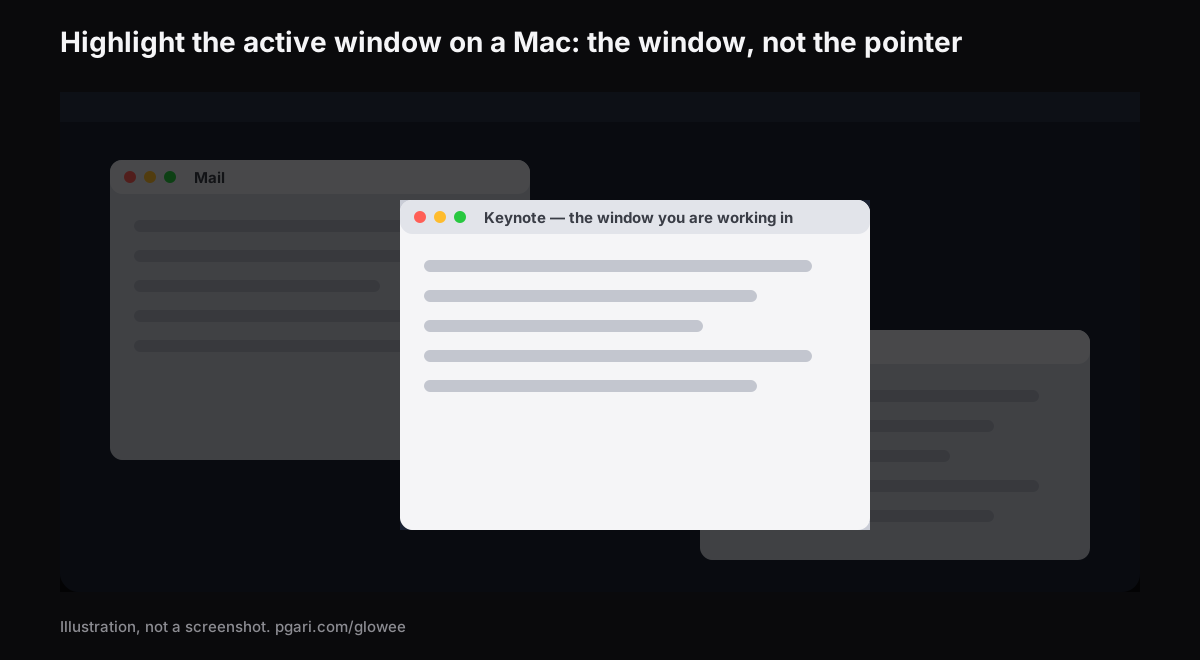
Window, or pointer? Decide that first
"Highlighter" means different things to different people typing it into Google, and the tools barely overlap.
| What should stand out | What does it |
|---|---|
| Whichever window you are typing in | PGari Glowee (Spotlight, Boost Area), HazeOver, Tinkle |
| The pointer itself | macOS pointer settings; Presentify; Mouseposé |
| The moment you click | macOS Screenshot options (Shift-Command-5); Presentify; Mouseposé |
| Keystrokes | Mouseposé |
| Drawing and annotation on the screen | Presentify |
If you are on a 27-inch display or a two-monitor desk and keep typing into the wrong window, you want the top row. If you are demonstrating software to a room, you probably want a pointer tool as well.
What macOS gives you already
Apple's own guide states the basic signal plainly: "Only one app at a time is active; the name of the app (in bold) and the app menus are shown in the menu bar." Past that, macOS helps you find a window rather than mark one. These paths and shortcuts come from Apple's Australian Mac User Guide.
- Mission Control. Press Control-Up Arrow. Every open window is laid out in a single layer "so it's easy to spot the one you need". Control-Down Arrow shows all the windows of the front app. On a second display, Mission Control shows only what is open on that display.
- Cycle inside one app. Command-` activates the next open window in the front app; add Shift to go back.
- Increase contrast. System Settings → Accessibility → Display. It raises the contrast of items such as borders around buttons and boxes. In the same panel, Show window title icons puts each window's icon in its title bar, which Apple notes "can make it easier to distinguish among windows or tabs when you have several open".
- Stage Manager. Found under System Settings → Desktop & Dock → Desktop & Stage Manager; it holds the app you are working with front and centre.
- Clear the rest away. Option-Command-H leaves the front app showing and hides every other one.
Apple's Desktop & Dock and Accessibility → Display settings lists cover finding, arranging, hiding and contrast. Neither includes an option that dims or outlines the windows behind the active one. Nothing in macOS will highlight the active window on a Mac the way a two-monitor desk or a room full of students needs, and that is the gap the apps below fill.
Three ways an app can highlight the active window on a Mac
Dim everything else. The window you are in stays as it is and the rest is turned down. HazeOver puts it this way about itself: it "automatically highlights the front window by dimming background windows", with intensity and animation speed you adjust, and it lists multi-monitor behaviour — "See which screen is active, or highlight windows on each monitor". Glowee's Spotlight works on the same principle with fewer dials: Off, Soft, Strong.
Flash an effect when the focus changes. Tinkle is "a macOS app that appends a visual effect at the focused window changes". Its own page names the exact case it is for: losing sight of the focused window "especially the window is switched by keyboard shortcuts". It supports multiple displays and requires macOS 13 Ventura or later.
Add light to the window instead of taking it away elsewhere. An XDR or EDR display is the price of entry, and Glowee's Boost Area is the feature. Put it on Active Window and the extra light lands on your current window alone, with the desktop and every other window left as they were. Have Spotlight running too and you get both at once: that window brighter, everything else further back.
What Glowee will not do is put a border or an outline around anything. If a coloured frame is precisely the thing you came for, look elsewhere.
How Glowee highlights a window
The app is a sun in the menu bar, with the whole of it on a single menu.
- Click the sun and pick Soft or Strong under Spotlight, according to how much is on the screen. There is no need to start Glowee first; picking a level starts it.
- After that, ⌃ ⌥ ⌘ S flips Spotlight from inside whatever app you are in, and it comes back at the level you left it.
- On an XDR or EDR display, pick Low, Medium or Max under Extra Brightness to light the window as well as darken the rest.
- ⌃ ⌥ ⌘ G turns Glowee off altogether, Spotlight included, and back on.
The light moves to whichever window you click; what it lands on is the front window of the app currently in use.
| The setting | What happens to the window | Which screens |
|---|---|---|
| Spotlight: Off, Soft, Strong | Turns down everything but your current window | Any Mac display, laptop panel or external |
| Boost Area: Active Window | Lifts the brightness of your current window, and moves when you click elsewhere | XDR and EDR displays only |
| Boost Area: Pinned | Holds the extra brightness on one window while you click around; anything dragged across it stays unlit | XDR and EDR displays only |
The brightness levels scale the display's gamma table by 1.20×, 1.38× and 1.50× at Low, Medium and Max, within the headroom the panel has. A MacBook Air and other displays without an XDR panel cannot be boosted — Spotlight still works on them. Running a display brighter uses more power and generates more heat, exactly as raising the built-in slider does. The detail is in the MacBook Pro brightness guide.
The highlight survives a recording
Spotlight is drawn on the screen, so screenshots and screen recordings capture it like any window, and there is nothing to mask afterwards. Anyone watching a presentation, a tutorial or a recorded lesson sees which window you mean. The brightness boost is the opposite: it is left out of captures, so a recording made on a boosted screen looks perfectly normal. More on that in Spotlight for screen recordings.
If you share a screen regularly, macOS can also hold notifications back while you do: System Settings → Notifications → Show Notifications: when mirroring or sharing the display. Apple's own example is a presentation.
If you actually wanted the pointer highlighted
Glowee does not do this. No ring around the pointer, no click visualisation, no keystroke display, no drawing tools. These do:
- The macOS pointer settings. Under System Settings → Accessibility → Display → Pointer you get pointer size, outline colour, fill colour, and Shake mouse pointer to locate, which swells the pointer when you move it quickly. Reset Colours returns you to a white outline over a black fill.
- macOS Screenshot. Shift-Command-5, then Options. You can include the pointer or the clicks; Apple notes the available options differ between a screenshot and a screen recording.
- Presentify describes itself as letting you "annotate your screen, highlight your cursor, and spotlight or zoom in on key areas", with a ring or squircle around the cursor and click animations.
- Mouseposé "dims the screen and shines a spotlight on the area around the mouse pointer", makes keystrokes visible, and draws a red circle around the pointer on a click.
All four descriptions come straight from the makers' own sites.
Questions people ask
Which app highlights the window that is in focus?
More than one, and each highlights the active window on a Mac by a different route. The background goes dark under HazeOver and under Glowee's Spotlight; Tinkle throws up a visual effect at the instant the focus changes; and on an XDR display Glowee can lift the focused window above everything around it.
Border outline or background dimming?
Dimming the background is what Glowee does, plus brightening the window itself on an XDR display. Borders are not part of it. Of the three, Tinkle is the one built entirely around a visual effect at the moment the focus changes.
And if I want the pointer highlighted on a Mac?
Not through Glowee. Size and colour live in System Settings → Accessibility → Display → Pointer; for a ring or a spotlight that trails the cursor you want something like Presentify or Mouseposé.
How do I get every open window on screen at once?
Mission Control is Control-Up Arrow; Control-Down Arrow narrows it to the front app's windows alone.
What about a two-monitor desk?
Any display runs Spotlight, laptop panel or external. Multi-monitor behaviour is described on HazeOver's and Tinkle's own sites; Glowee's page goes no further than saying Spotlight works on any display, so neither does this page. On the brightness side, every connected EDR display is lifted together.
Is this the same Spotlight as the Mac's own?
No, and the collision of names is a nuisance. Command-Space bar opens Apple's Spotlight, which is the Mac's search. Glowee's Spotlight is a dimmer, and it answers to ⌃ ⌥ ⌘ S.
Can I try it first?
You can. Seven free days with nothing held back, no account and no card. After that it is a one-off purchase — one Mac, or three Macs on one key, with a 30-day refund.
Try it on your own screen
PGari Glowee is a single menu bar app of under 2 MB, running on macOS 13 or later, Apple silicon and Intel alike. Nothing is installed at kernel level and nothing runs in the background; quit it and the screen is back where it started. Related: dimming inactive windows and keeping one window in focus.
More Glowee guides
- An ADHD focus app for Mac, judged by what it actually changes on screen
- How to dim inactive windows on a Mac and keep one in the light
- How to keep the focus on a window on a Mac
- MacBook Pro brightness: how to get past the slider in daylight
- How to screen record on a Mac and put a spotlight on the window you are explaining
Sources
- support.apple.com/en-au/guide/mac-help/mchlp2469/mac
- support.apple.com/en-au/guide/mac-help/mh35798/mac
- support.apple.com/en-au/102650
- support.apple.com/en-au/guide/mac-help/unac089/mac
- support.apple.com/en-au/guide/mac-help/mchlp2920/mac
- support.apple.com/en-au/guide/mac-help/mh26782/mac
- support.apple.com/en-au/guide/mac-help/mchl534ba392/mac
- support.apple.com/en-au/guide/mac-help/mh40583/mac
- support.apple.com/en-au/guide/mac-help/mchlp1119/mac
- hazeover.com
- tinkle.pqrs.org
- presentifyapp.com
- boinx.com/mousepose