 PGari Glowee: Mac brightness with window spotlight
How to focus on a window on a Mac when Focus mode is not the answer
Short answer: to focus on a window on a Mac, start by pulling apart the two jobs the word "focus" is doing, because the search results run them together. Apple's Focus — the thing in Control Centre and System Settings that most people call Focus mode — governs notifications, and nothing else. Apple sums it up as a way to "pause and silence all notifications or allow only certain notifications". Its complete settings table was read for this page: Allowed People, Allowed Apps, Set a Schedule, Focus Filters, Intelligent Breakthrough & Silencing, Share across devices and Focus status. Not one entry has anything to say about your windows. For the windows, the Mac User Guide offers full screen, Stage Manager and Option-Command-H — and all three work by taking the other windows away. If you would rather keep them where they are and simply stop them competing, an app has to dim them. PGari Glowee's Spotlight does exactly that, on any Mac display, with ⌃ ⌥ ⌘ S. Use Focus for the interruptions and Spotlight for the screen; neither replaces the other.
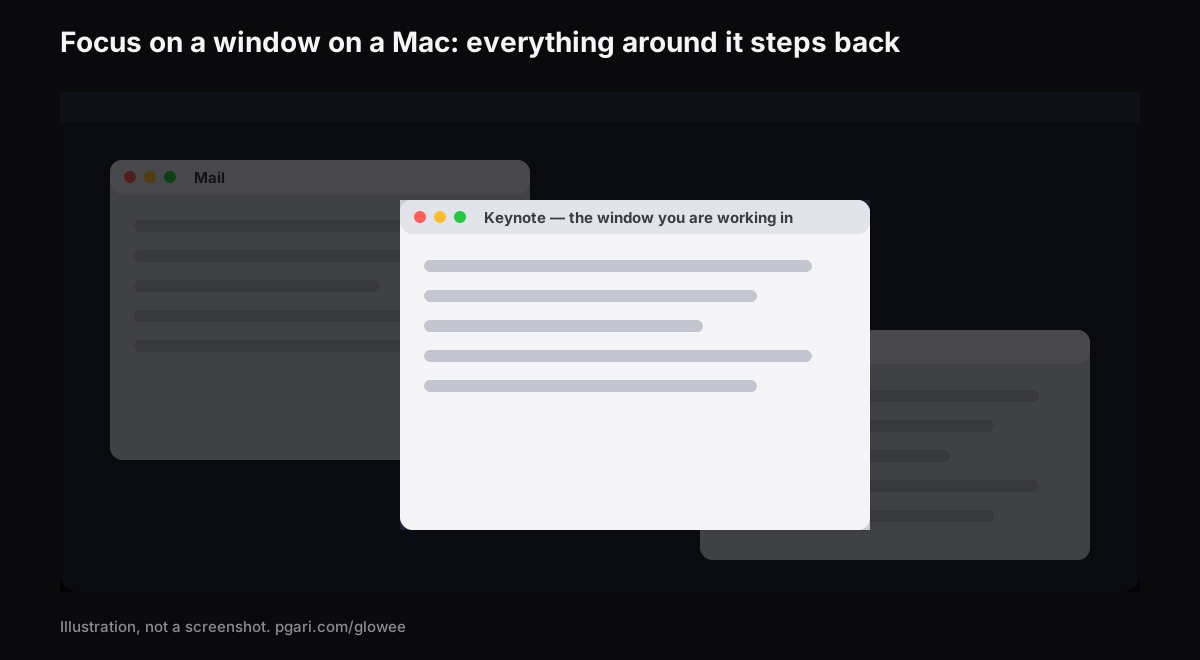
Below: what Apple's Focus actually controls and how to switch it, then the ways to bring a single window forward and what each one takes from you in exchange.
What Focus mode on a Mac controls
Focus is Apple's name for a set of notification rules, and Do Not Disturb is simply one of them — Apple's settings page notes that "the Do Not Disturb Focus is always available". Alongside it sit the ones you add, such as Work or Gaming, and any you invent yourself. Each can "pause and silence all notifications or allow only certain notifications", with you choosing whose and which.
Switching one on. Open Control Centre from the menu bar, click anywhere inside the Focus section, and then click the one you want. Its icon is highlighted in that list and turns up in the menu bar. You can also give it a duration — Apple's example is "For 1 hour", and if the Mac knows you are in a scheduled event there is "Until the end of this event", which is handy for a class or a client call. There is a quicker route to Do Not Disturb on its own: Option-click the date and time in the menu bar.
Switching it off. Open the same list and click the lit Focus again.
Building one. System Settings → Focus, then Add Focus. Pick one Apple supplies, such as Gaming or Work, or choose Custom, name it, give it a colour and an icon. Apple's own example of a custom one is a Study Focus, and the ceiling is ten. Inside each Focus:
- Allowed People and Allowed Apps decide what still gets through — Apple describes them as allowing "notifications from selected people" and "from selected apps".
- Set a Schedule turns the Focus on "at a set time, location or while using a certain app".
- Focus Filters "customise how Calendar, Mail, Messages or Safari behave when this Focus is on". Apple's example: a particular set of Safari Tab Groups while the Work Focus runs.
Where Apple Intelligence is switched on there is also the Reduce Interruptions Focus, "which shows you only the most important notifications".
Across your devices. Share across devices keeps your Focus settings aligned wherever you are signed in to the same Apple Account, and Apple states plainly that "turning a Focus on or off on your Mac turns it on or off on your other devices". Switch it off if you want a quiet Mac and a live phone. In the same panel, Focus status lets the people messaging you know your notifications are silenced — and, if it matters, choose to break through anyway.
What the Focus settings leave untouched: the windows
Read the settings table as a list and the gap is obvious. Focus list, Add Focus, Share across devices, Focus status; then, inside a Focus, its name and icon, Intelligent Breakthrough & Silencing, Allowed People, Allowed Apps, Set a Schedule, Focus Filters, Delete Focus. Every one of them is about notifications, timing or how four Apple apps behave. None of them dims, hides, resizes or rearranges a window. A Focus can stop the banner arriving. What is already on the screen is somebody else's job.
| Tool | How you switch it on | Where the other windows end up |
|---|---|---|
| Focus (Do Not Disturb, Work, a custom one) | Control Centre → Focus | Untouched. Apple's Focus settings deal with notifications, schedules and Focus filters |
| Full screen | The green button at the window's top-left, or Control-Command-F where the app supports it | The app takes over the entire screen; one more can join it in Split View |
| Stage Manager | System Settings → Desktop & Dock, under Desktop & Stage Manager | Parked down the left-hand side, with the working window in the centre |
| Hiding the other apps | Option-Command-H | Hidden outright; only the front app remains |
| PGari Glowee, Spotlight | ⌃ ⌥ ⌘ S, or the menu bar sun | Left exactly where they are, turned down |
The first four rows come from Apple's Mac User Guide and keyboard shortcut list; the last from pgari.com/glowee/.
Full screen is the most decisive of them. Apple describes it as working "without desktop distractions", and it earns that by letting the app fill the entire screen. The cost is that everything else leaves the picture, apart from one companion app in Split View. Translating a document against a source, writing code beside the API reference, taking notes while a call runs — all of those need two or three windows visible at once, and still need one of them to be the obvious place for your eyes. That specific situation is what dimming exists for.
Focus on a window on a Mac by turning everything else down
Glowee is a menu bar app whose Spotlight feature dims everything except the window you are in, and leaves your layout precisely as you arranged it.
- Three settings: Off, Soft, Strong. The product page's own guidance is to pick "Soft or Strong, depending on how busy the screen is".
- One chord: ⌃ ⌥ ⌘ S works inside any app and brings the dimming back at whatever level you last chose.
- It follows the click. The lit window is the front window of the app you are working in. Glowee does not choose it — you do, by clicking, and the light goes where you went.
- Any Mac display. Dimming asks nothing of the panel, so a MacBook Air, an office monitor and a projector all behave the same way.
On a MacBook Pro 14″ or 16″ from 2021 onwards, or any other XDR or EDR display, there is a second half to this. With Boost Area on Active Window, the window you are working in is the only one pushed above the ceiling the macOS slider imposes. Have Spotlight running as well and the two act from opposite ends: the one window rises, everything around it falls away. That half is panel-dependent: a MacBook Air cannot be boosted, and plain Spotlight is what it gets. The MacBook Pro brightness guide explains why the panel decides.
Glowee has no wiring into Apple's Focus at all. Nothing is shared between them, and you switch Spotlight yourself from the menu or the shortcut. It does not touch notifications, so a Focus is still what keeps banners away while you work.
The other window dimmer
HazeOver is the name most people reach for when they go looking for this. It "automatically highlights the front window by dimming background windows", with intensity you set yourself, and it can be wired to Apple's Focus: its site describes control through "the Shortcuts app, Focus filters, and AppleScript". If having the dimming follow a Focus automatically is what you want, HazeOver advertises it and Glowee does not. A column-by-column comparison of the two sits in how to dim inactive windows on a Mac.
The three things "focus app for Mac" can mean
Search for a focus app and you will be shown three unrelated categories. Knowing which one you are after saves a trial download.
- Blockers and timers. The app literally called Focus says of itself: "It blocks distractions and lets you create the perfect productivity routine", and adds "built-in timers for productivity and the Pomodoro technique". Glowee is not in this category at all. It blocks nothing and times nothing.
- Notification control. That is Apple's Focus, already installed, already free.
- Window dimmers. Glowee and HazeOver. They change what your eye is drawn to on a screen you have already decided to look at.
The three do not compete. One decides what you are able to open, one decides what is allowed to interrupt, and one decides where your attention lands among the things already open.
If you came to this page because of ADHD, there is a separate page for that question. No medical claim is made there, and none is made here. It dims what surrounds a window, and that is the entire claim on both pages.
Questions people ask
What does Focus mode actually do on a Mac?
It silences notifications, or admits only the ones you nominate. It can start on a schedule, change how Calendar, Mail, Messages and Safari behave, and stay in step with your iPhone and iPad. The settings table contains no entry for dimming or arranging windows.
How do I switch Focus mode on, on a MacBook?
Click Control Centre in the menu bar, click the Focus section, then click a Focus such as Do Not Disturb. To create one first, go to System Settings → Focus and click Add Focus.
How do I switch Focus mode off again?
Same list, click the highlighted Focus. Do Not Disturb also answers to an Option-click on the date and time in the menu bar. If it keeps switching itself back on, check Set a Schedule inside that Focus, and check Share across devices — a Focus enabled on your iPhone enables the Mac's too.
Do I need help syncing Focus across my iPhone and Mac?
The setting is Share across devices in System Settings → Focus, and it keeps your Focus settings up to date wherever you are signed in to the same Apple Account. Turning a Focus on or off on the Mac does the same on the other devices.
Is Focus mode just another name for Do Not Disturb?
Do Not Disturb is one Focus among many, and the one that is always present in the list. Work, Personal, Gaming and whatever you create yourself sit alongside it.
Windows keep losing focus on their own — is that the same thing?
No, that is a third sense of the word: which window is currently active. Apple's guide states that "only one app at a time is active", and the Focus pages have nothing to do with it. Glowee does not control it either; it only follows whichever window you click. This page does not attempt to troubleshoot it.
Does dimming the other windows require an XDR display?
No. Spotlight is content with any panel, built in or connected. It is the extra brightness inside the active window that insists on XDR or another EDR display.
Which is the best focus app for a Mac?
It depends which of the three categories above matches your problem, and a page that sells one of them is not the right place for a ranking. Notifications are handled by macOS at no cost. A crowded screen is the one problem a dimmer solves.
Is there a way to try it before paying?
Apple's Focus ships with macOS. Glowee runs for seven days with every feature open, no account and no card; after that it is a one-off purchase — one Mac, or three Macs on one key — and 30 days in which to ask for a refund.
Try it on your own screen
PGari Glowee is one menu bar app of under 2 MB. It needs macOS 13 or later and runs as a single universal build on Apple silicon and on Intel. It puts nothing into the system — no kernel extension, no background helper — and the moment you quit it, the display is back where macOS had it. If your reason for keeping one window forward is an audience rather than yourself, see Spotlight while you record the screen.
More Glowee guides
- An ADHD focus app for the Mac: where a screen tool stops
- Dim inactive windows on a Mac without moving a single one
- How to highlight the active window on a Mac — the window, not the pointer
- MacBook Pro brightness: the light your panel is holding back
- How to screen record on a Mac and put a spotlight on one window
Sources
- support.apple.com/en-sg/guide/mac-help/mchl613dc43f/mac
- support.apple.com/en-sg/guide/mac-help/mchl999b7c1a/mac
- support.apple.com/en-sg/guide/mac-help/mchlff5da36d/mac
- support.apple.com/en-sg/guide/mac-help/mchl9c21d2be/mac
- support.apple.com/en-sg/guide/mac-help/mchl534ba392/mac
- support.apple.com/en-sg/102650
- support.apple.com/en-sg/guide/mac-help/mchlp2469/mac
- hazeover.com
- heyfocus.com