 PGari Glowee: Mac brightness with window spotlight
Focus on a window on a Mac without touching Focus mode
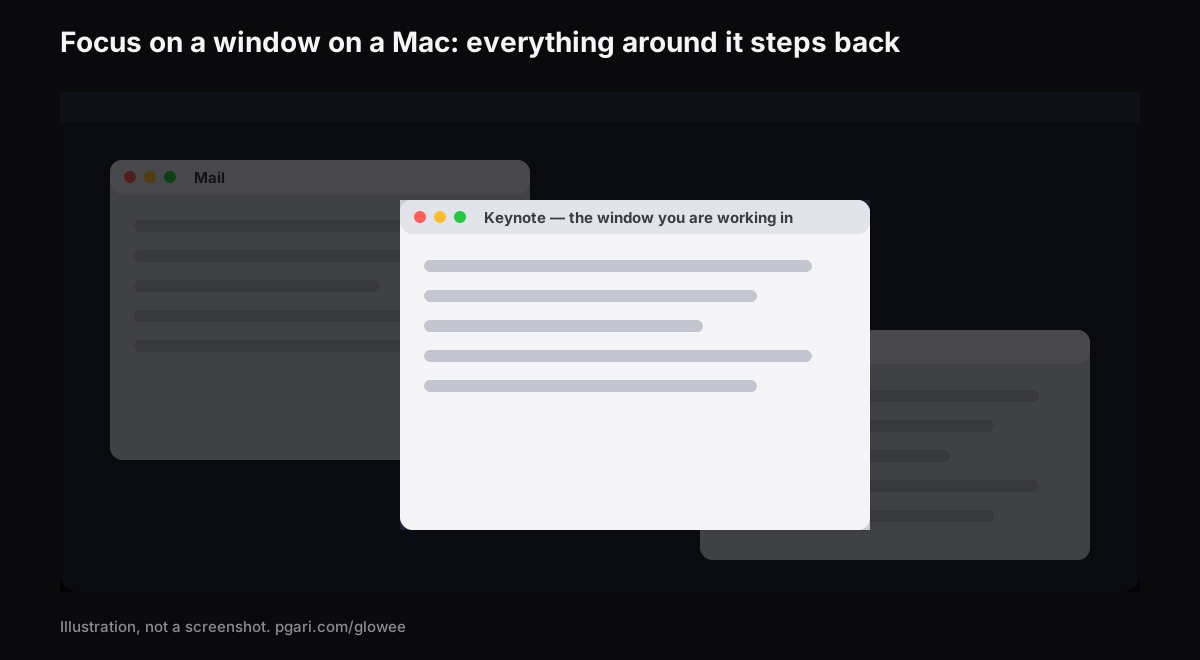
Short answer: People who want to focus on a window on a Mac are usually shown Apple's Focus, and it is the wrong feature. Focus is a notification system: Apple describes it as a way to "pause and silence all notifications or allow only certain notifications," and its settings table runs to allowed people, allowed apps, schedules, Focus filters, Intelligent Breakthrough & Silencing, sharing across devices and Focus status. Not one entry concerns a window. For windows, Apple documents full screen, Stage Manager and Option-Command-H, and each of the three works by putting the other windows somewhere you cannot see them. If the other windows must stay where they are and simply stop competing, dimming is the only approach left, and that comes from an app. PGari Glowee's Spotlight dims everything except the window you are in, on any Mac screen, with ⌃ ⌥ ⌘ S.
The two halves do not overlap and neither replaces the other. A Focus keeps the banners away; dimming keeps the screen quiet. Most people who are struggling want both, and they are free to run together.
The Focus in System Settings governs notifications
Focus is Apple's umbrella name for a set of notification rules, and Do Not Disturb is one of them — the one Apple notes "is always available." Alongside it sit the ones you add, such as Work or Gaming, and any you invent yourself, up to ten.
Switching one on. Open Control Center from the menu bar, click anywhere in the Focus section, then click the Focus you want. The icon lights up in the list, and it also shows in the menu bar. You can give it a length: "For 1 hour," for instance, or — if you turn it on during something that is in your calendar — "Until the end of this event," which Apple describes as ending the Focus when a meeting or class does. There is a quicker route to Do Not Disturb: hold down Option and click the clock in the menu bar.
Switching one off. Go back to that list and click the Focus that is lit.
Building one. System Settings → Focus → Add Focus, then either one of Apple's, such as Gaming or Work, or Custom, where you give it a name, a colour and an icon. Inside it:
- Allowed People and Allowed Apps set who and what may still reach you.
- Set a Schedule starts it by time, by place or by app.
- Focus Filters change how Calendar, Mail, Messages and Safari behave while it runs.
On a Mac with Apple Intelligence there is also Reduce Interruptions, which Apple says "shows you only the most important notifications." And because Focus travels between devices that share an Apple Account, a Focus you start on an iPhone will be running on the Mac as well — worth remembering when one appears that you did not ask for.
Nothing in the Focus settings touches a window
Set Apple's own list of Focus settings against what you actually wanted:
| Entry in Focus settings | What it decides |
|---|---|
| Focus list, Add Focus | Which Focus modes exist on this Mac |
| Allowed People, Allowed Apps | Whose notifications break through |
| Set a Schedule | When a Focus starts and stops |
| Focus Filters | How Calendar, Mail, Messages and Safari behave |
| Intelligent Breakthrough & Silencing | Which notifications Apple Intelligence judges important |
| Share across devices, Focus status | Whether your other devices and your contacts follow along |
Every row is about interruption. None is about what the screen looks like. For the screen, Apple points you at other tools, and an app adds a fourth kind.
| Approach | How you start it | Where the other windows end up |
|---|---|---|
| A Focus | Control Center → Focus | Untouched. Focus deals in notifications |
| Full screen | Green button at the top-left, or Control-Command-F | The app occupies the whole screen |
| Stage Manager | System Settings → Desktop & Dock → Desktop & Stage Manager | Parked along the left edge; the working window sits in the centre |
| Option-Command-H | The shortcut itself | Hidden outright |
| Glowee's Spotlight | The sun in the menu bar, or ⌃ ⌥ ⌘ S | Left in place and dimmed |
The first four rows come from Apple's Irish Mac User Guide and shortcut list; the last from pgari.com/glowee/.
Full screen is the most decisive of them, and Apple sells it on exactly that: working "without desktop distractions" because the app fills the entire screen. The cost is that the second window is gone unless you bring it into Split View. Anyone writing from a source, coding against a specification or minuting a call as it happens needs two or three windows visible and still needs one of them to be obviously the one in play. Dimming is the answer built for that shape of work.
Focus on a window on a Mac by turning down what surrounds it
Glowee lives in the menu bar as a small sun. Spotlight is one line on its menu.
- Three positions: Off, Soft, Strong, picked according to how busy the screen is.
- One chord: ⌃ ⌥ ⌘ S switches Spotlight from inside any app, returning at whatever strength you had it on.
- It follows you. Click into another window and the light goes with you. Glowee does not choose the window; your click does.
- No panel requirement. Spotlight is plain dimming, so it runs on a MacBook Air, an old external monitor, anything.
- Nothing to set up. One menu, no preferences pane, no dock icon.
Two behaviours are worth knowing before you first use it, because they save a puzzled minute. Choosing a Spotlight level starts Glowee if it happened to be off, and moves Boost Area from Whole Screen to Active Window, since Spotlight needs one window to light. And ⌃ ⌥ ⌘ G, which turns Glowee off entirely, takes Spotlight with it; turning Glowee back on brings Spotlight back too.
On a MacBook Pro 14″ or 16″ from 2021 or later, or another XDR or EDR display, the second half arrives: with Boost Area on Active Window, the window you are in is lifted past the point where the macOS slider stops, so the lit window climbs while the rest steps back. That part needs the panel — a MacBook Air gets Spotlight and nothing more. The reason is set out in the MacBook Pro brightness guide.
Glowee is not wired into Apple's Focus. There is no Focus filter, no Shortcuts action, nothing scheduled: you throw the switch yourself. It also does not touch notifications, so a Focus is still what keeps the banners off the screen.
The other dimmer
HazeOver is the older name in this niche and it does connect to Focus. Its site describes a Focus filter that "toggle[s] HazeOver dimming or set[s] its intensity and color automatically depending on which Focus mode you have activated." If you want the dimming to arrive with your Work Focus rather than by hand, that link exists there and does not exist in Glowee. The two are laid side by side in dimming inactive windows on a Mac.
Four things people call a focus app
Searches for a focus app on the Mac land on four unrelated categories, and knowing which one you want saves an afternoon of trials.
- Blockers and timers. The app literally named Focus says it lets you "easily block and customize distracting websites," and it "comes with built-in timers for productivity and the Pomodoro technique." Glowee has neither: no blocking, no timer.
- Notification control. Apple's Focus, already installed, already free.
- Window arrangers. Full screen and Stage Manager, both from Apple.
- Window dimmers. Glowee and HazeOver, which leave the arrangement alone and change what draws the eye.
They stack rather than compete. A blocker rules on what may be opened, a Focus on what may interrupt, an arranger on where windows sit, a dimmer on where the eye lands.
If ADHD is the reason you are reading this, there is a separate page. Glowee makes no medical claim; it dims what surrounds a window, and neither page says more than that.
Common questions
What does Focus mode do on a Mac?
It silences notifications or narrows them to the ones you allow, on a schedule if you want, filtering Calendar, Mail, Messages and Safari, and staying in step with your other Apple devices. It does nothing to windows.
How do I turn Focus mode off?
Control Center → the Focus section → click the highlighted Focus. For Do Not Disturb, Option-click the date and time in the menu bar. If it keeps returning, look at Set a Schedule inside that Focus, and at Share across devices — a Focus started on your iPhone lands on the Mac too.
Is Focus mode the same thing as Do Not Disturb?
Do Not Disturb is one Focus among several, and the one Apple says is always available.
Am I trying to block websites or to manage notifications?
Different tools. Blocking is a third-party app such as Focus by HeyFocus. Notifications are Apple's Focus. Neither is what Glowee does.
Why does my active window keep losing focus?
That is the third sense of the word — which window is currently active. Apple's guide notes only that "only one app at a time is active." Glowee does not control it; it follows whichever window you click, and this page does not attempt to diagnose it.
Is an XDR display needed just to dim the others?
No. Spotlight runs on any display. Only the extra brightness inside the active window needs an XDR or other EDR panel.
Is there a way to try it first?
Apple's Focus comes with the Mac. Glowee is free for 7 days with every feature unlocked and no account, then a one-off purchase — one Mac, or three Macs on one key, with a 30-day refund.
See it on your own screen
PGari Glowee is a single menu bar app, under 2 MB, for macOS 13 or later on Apple silicon and Intel. No kernel extensions, no background helpers; quit it and the display goes back to exactly where it was.
More Glowee guides
- An ADHD focus app that does one job, and that job is the screen
- Dim inactive windows on a Mac without moving a single one of them
- Highlight the active window on a Mac when macOS only puts a name in bold
- MacBook Pro brightness: the light your panel keeps in reserve
- Screen record on a Mac and leave no doubt about which window matters
Sources
- support.apple.com/en-ie/guide/mac-help/mchl613dc43f/mac
- support.apple.com/en-ie/guide/mac-help/mchl999b7c1a/mac
- support.apple.com/en-ie/guide/mac-help/mchlff5da36d/mac
- support.apple.com/en-ie/guide/mac-help/mchl9c21d2be/mac
- support.apple.com/en-ie/guide/mac-help/mchl534ba392/mac
- support.apple.com/en-ie/guide/mac-help/mchlp2469/mac
- support.apple.com/en-ie/102650
- hazeover.com
- heyfocus.com