 PGari Glowee: Mac brightness with window spotlight
Focus on a window on a Mac when one word is doing three jobs
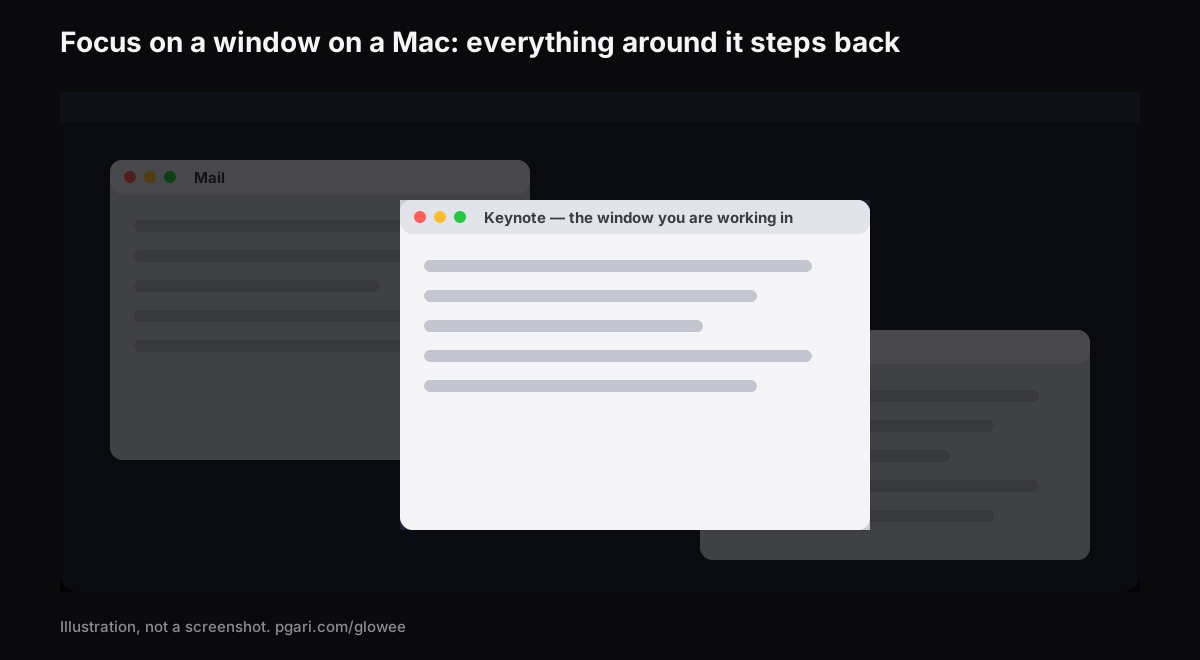
Short answer: People who search for focus window mac are after one of three unrelated things, and knowing which saves a lot of time. Apple's Focus is a notification switch: it exists to "pause and silence all notifications or allow only certain notifications", and its settings page lists Allowed People, Allowed Apps, Set a Schedule, Focus Filters, Intelligent Breakthrough & Silencing, Share across devices and Focus status — not one entry concerns a window. The second meaning is keyboard focus, which window your typing goes into; Apple's guide says only that "only one app at a time is active". The third is the one most people actually want: making one window the obvious place to look while the others stay put. Apple's tools for that move windows out of sight — full screen, Stage Manager, Option-Command-H. An app can instead turn the surroundings down, which is what PGari Glowee's Spotlight does, on any Mac screen, with ⌃ ⌥ ⌘ S.
Meaning one: Focus, the notification switch
Focus is a set of rules about interruptions. Do Not Disturb is simply one of them, and Apple notes that it "is always available"; Work, Personal, Gaming, Reading and anything you build yourself sit in the same list. Apple's own summary of the point: "When you need to stay on task and minimise distractions, use Focus."
Switching one on. Open Control Centre from the menu bar, click anywhere in the Focus section, then click the one you want. The icon lights up in the list, and it shows in the menu bar as well. You can pick how long it runs — "For 1 hour", say, or, if you switch it on during a calendar event, "Until the end of this event". Do Not Disturb has a faster route — hold Option while you click the date and time in the menu bar.
Switching it off. Same list, click the highlighted Focus again, and the icon stops being highlighted.
Building one. System Settings → Focus → Add Focus, then either one Apple supplies or Custom, where you name it and pick a colour and icon. Apple caps the custom ones at ten. Inside each:
- Allowed People and Allowed Apps decide whose interruptions still arrive.
- Set a Schedule turns the Focus on "at a set time or location, or while using a certain app".
- Focus Filters change how Calendar, Mail, Messages or Safari behave while it runs — Apple's example is a particular set of Tab Groups appearing in Safari during the Work Focus.
With Apple Intelligence switched on there is also a Reduce Interruptions Focus, "which shows you only the most important notifications".
Across your devices. Share across devices keeps your Focus settings in step wherever you are signed in to the same Apple Account. Focus status lets people who message you know that you have silenced notifications, without telling them which Focus you are in.
Meaning two: which window has the keyboard
This is the sense a developer means. Apple's window page states the rule and stops there: "Only one app at a time is active; the name of the app (in bold) and the app menus are shown in the menu bar." Nothing in Apple's Focus documentation touches it, and Glowee does not control it either — Glowee follows whichever window you have clicked into. If windows are losing keyboard focus unexpectedly on your Mac, that is a fault to chase elsewhere; this page does not pretend to diagnose it.
Meaning three: the window your eye keeps drifting away from
The third meaning is visual, and it is the one with an actual remedy: to focus on a window on a Mac is simply to make it the obvious place for your eye to land. Apple documents three ways to deal with a crowded screen, all of which work by removing the competition:
| Tool | How you switch it on | What becomes of the other windows |
|---|---|---|
| Focus (Do Not Disturb, Work …) | Control Centre → Focus | Untouched. Focus governs notifications, schedules and filters |
| Full screen | Green button top-left, or Control-Command-F where supported | The app takes the entire screen |
| Stage Manager | System Settings → Desktop & Dock → Desktop & Stage Manager | Lined up on the left; the current window sits in the centre |
| Hiding the others | Option-Command-H | Hidden; only the front app remains visible |
| PGari Glowee, Spotlight | ⌃ ⌥ ⌘ S, or the sun in the menu bar | They stay exactly where they are, dimmed |
The first four rows come out of Apple's own guide and shortcut list, the fifth out of pgari.com/glowee/.
Full screen is the most decisive of them, and Apple sells it on exactly that, describing an app that "fills the entire screen — so you can take advantage of every inch of the screen and work without desktop distractions". The cost is that your other windows are no longer beside it, unless you add a second one through Split View. Anyone writing from a source, coding against documentation or minuting a call needs two or three windows visible at once, and still wants one of them to dominate. Dimming exists for precisely that gap.
Focus on a window on a Mac by dimming its surroundings
Glowee is a menu bar app whose Spotlight feature "dims everything except the window you are in", changing nothing about where your windows sit.
- Three positions: Off, Soft and Strong, picked by how busy the screen is at the time.
- One chord: ⌃ ⌥ ⌘ S from inside any app, returning at the level you last used.
- It tracks you. Click into a different window and the light goes with you. You decide what is active by clicking; Glowee just keeps up.
- Any screen. This is ordinary dimming, so it needs no special panel — a MacBook Air is fine.
There is a second half to this on the machines that can take it: a MacBook Pro 14″ or 16″ from 2021 onwards, or any other XDR or EDR display. Set Boost Area to Active Window and the window you are in is also lifted past where the macOS slider stops, so the lit window climbs while everything else steps back. Turning Spotlight on takes care of that switch itself: Spotlight needs one window to light, so Boost Area moves from Whole Screen to Active Window automatically. On a MacBook Air there is no headroom to open, and Spotlight on its own is the whole of what you get. The MacBook Pro brightness guide explains the panel side.
There is no connection of any kind between Glowee and Apple's Focus. It does not manage notifications, so a Focus is still what keeps banners off your screen, and the two are worth running together rather than instead of each other.
The other app that dims, and what it links to
HazeOver is the name most people reach for here. By its own account it "automatically highlights the front window by dimming background windows", with adjustable intensity, and it does tie into Apple's Focus: its site describes a Focus filter that toggles the dimming or changes its intensity and colour according to which Focus is running. If that automatic link is the feature you want, HazeOver has it and Glowee does not. The two are set side by side in dimming inactive windows on a Mac.
Where "focus app" leads you instead
Search for a focus app for the Mac and you land among several unrelated categories.
- Blockers and timers. The app literally called Focus describes itself as "a Mac app that removes distractions so you can focus and do your best work", prevents you from opening distracting websites across all popular browsers, can block apps too, and ships with Pomodoro timers. Glowee does none of that: no blocking, no timer, no schedule.
- Notification control. Apple's Focus, which is already on the Mac and costs nothing.
- Window dimmers. Glowee and HazeOver, which change what your eye is drawn to and nothing else.
They are not rivals. One decides what you are able to open, one decides what is allowed to interrupt, and one decides what the screen pushes at you. Plenty of people run all three.
If ADHD is why you are reading this, there is a separate page on exactly that. Glowee makes no medical claim anywhere, and none is made here.
Questions that come with this search
Do I want something that blocks websites and apps, or something that manages notifications?
Different tools. Blocking is a blocker's job, such as the app named Focus. Managing notifications is Apple's Focus, built into macOS. Glowee does neither — it works on what the screen shows you, not on what you can reach.
I want to switch between windows from the keyboard, or dim the background ones. Which is this?
The second. Glowee never moves or switches windows; it dims whatever is not the window you clicked into.
Can I stop a window losing focus?
Not with anything on this page. Apple's guide states that only one app is active at a time and goes no further, and Glowee simply follows your clicks rather than directing them.
How do I keep Focus in step between my iPhone and my Mac?
Share across devices, in System Settings → Focus, keeps your Focus settings up to date wherever you are signed in to the same Apple Account. Switch it off if you want the Mac quiet while the phone stays live.
Can a Focus start by itself for work hours or sleep?
Yes. Set a Schedule inside a Focus turns it on at a set time or location, or while you are using a particular app.
Free option or paid subscription?
Apple's Focus is part of macOS at no cost, and it covers the notification half completely. Glowee is neither free nor a subscription: 7 days free with everything unlocked, then a one-off purchase — one Mac, or three Macs on one key — with a 30-day refund.
Does the dimming need an XDR screen?
No. Spotlight runs on any display, internal or external. It is the added light inside the active window, and only that, which asks for an XDR or other EDR panel.
Try it while you work
The quickest way to judge whether dimming helps you focus on a window on a Mac is to run it for an afternoon of your own work. PGari Glowee is a menu bar app and nothing more: under 2 MB on disk, macOS 13 or later, the same binary for Apple silicon and Intel. It puts no kernel extensions and no background helpers into your system, and the instant you quit, the display is back exactly as it was.
More Glowee guides
- Searching for an ADHD focus app on the Mac? Read what this one is
- Dim inactive windows on a Mac and leave the layout alone
- Highlight the active window on a Mac by dimming, flashing or adding light
- MacBook Pro brightness: the headroom your panel keeps in reserve
- Screen record on a Mac, then put a spotlight on one window
Sources
- support.apple.com/en-nz/guide/mac-help/mchl613dc43f/mac
- support.apple.com/en-nz/guide/mac-help/mchlff5da36d/mac
- support.apple.com/en-nz/guide/mac-help/mchl999b7c1a/mac
- support.apple.com/en-nz/guide/mac-help/mchlp2469/mac
- support.apple.com/en-nz/guide/mac-help/mchl9c21d2be/mac
- support.apple.com/en-nz/guide/mac-help/mchl534ba392/mac
- support.apple.com/en-nz/102650
- hazeover.com
- heyfocus.com