 PGari Glowee: Mac brightness with window spotlight
Searching for an ADHD focus app on the Mac? Read what this one is
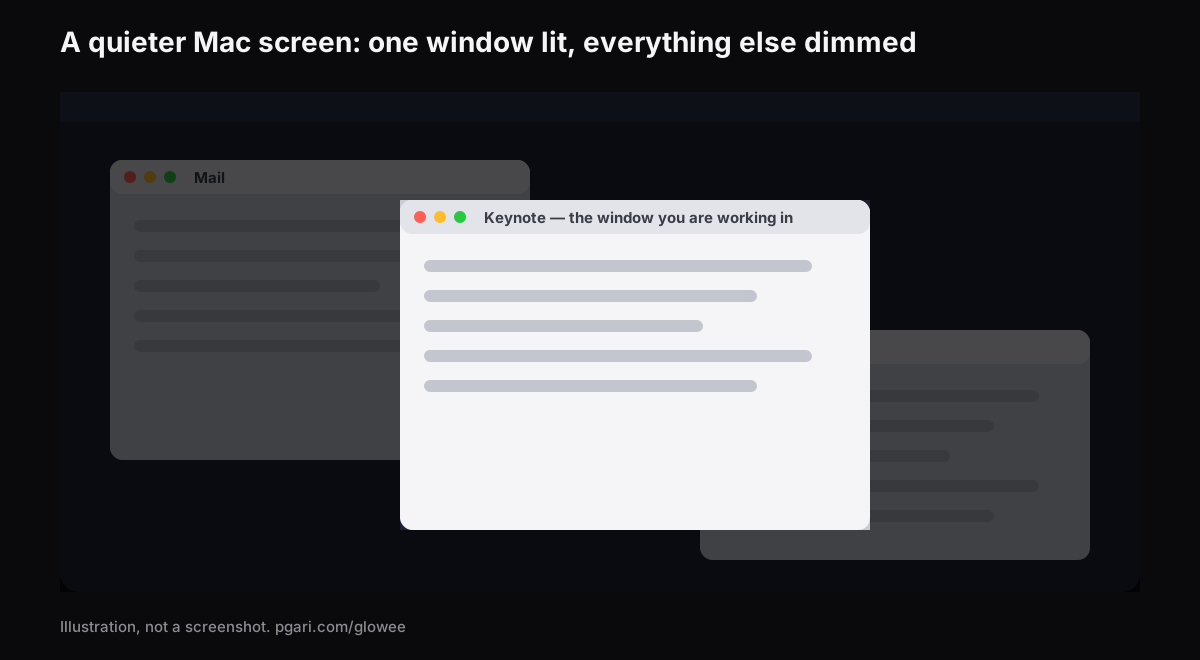
Short answer: If an ADHD focus app is what brought you here, the useful thing I can give you is a clear boundary. PGari Glowee is a tool for the screen and nothing beyond it. Its Spotlight feature dims everything on the display except the window you are working in, on any Mac, and one chord — ⌃ ⌥ ⌘ S — puts it on and takes it off. That is the sum total of what it contributes. It blocks nothing, times nothing, plans nothing and silences nothing, and it makes no claim about ADHD, about symptoms or about treatment of any kind. If a busy screen is genuinely part of what pulls you away, Glowee turns the busy part down; and macOS already ships with a long list of settings, all of them free and all listed below with their menu paths, that quieten considerably more than one app can.
Nothing here is medical advice, and nothing here should influence a decision that belongs with you and a clinician.
Six categories hide behind that one search
Search for an ADHD focus app and the results mix up at least six kinds of software solving six different problems. Sorting them is most of the work. Each description below is quoted from the maker's own site. The last row is mine to add: window dimmers do not appear in the search data for this term at all, and it is the row Glowee belongs to.
| What the problem is | One app in that category | The maker's own wording |
|---|---|---|
| You keep opening the wrong thing | Freedom | "App, Website & Internet Blocker" |
| You cannot tell how long you have been at it | Forest | "A mindful focus timer" |
| You work better with someone else present | Focusmate | "Virtual body doubling for getting anything done" |
| The day needs to be visible, not remembered | Tiimo | "Visual Planner for Every Neurotype" |
| The list itself has become the problem | Todoist | "A To-Do List to Organize Your Work & Life" |
| One task is too big to start | Goblin Tools | "a collection of small, simple, single-task tools, mostly designed to help neurodivergent people with tasks they find overwhelming or difficult" |
| The screen itself is too loud | HazeOver | "automatically highlights the front window by dimming background windows" |
Glowee sits in the bottom row and nowhere else, so calling it an ADHD focus app stretches the term further than it will honestly go. Which row is worth your money depends entirely on what actually gets in your way, and a page selling one app is the last place that question should be settled.
The screen itself: what macOS can already quieten
Put the diagnosis aside for a moment and look purely at the display. While you work in one window, all of the following move, blink, count or sit there being colourful. Every one has a switch built into macOS. The paths are from Apple's New Zealand Mac user guide as it stood in September 2026; older versions of macOS place a few of them elsewhere.
| What is competing | The macOS setting | Where it lives |
|---|---|---|
| Notification banners | A Focus, such as Do Not Disturb | Control Centre → Focus. For Do Not Disturb, Option-click the date and time in the menu bar |
| One app that notifies constantly | Allow notifications (off) | System Settings → Notifications → Application Notifications |
| Red count badges on Dock icons | Badge application icon (off) | System Settings → Notifications → Application Notifications |
| Notification sounds | Play sound for notification (off) | System Settings → Notifications → Application Notifications |
| The Dock, bouncing icons, suggested apps | Automatically hide and show the Dock; Animate opening applications (off); Show suggested and recent apps in Dock (off) | System Settings → Desktop & Dock |
| The menu bar | Automatically hide and show the menu bar | System Settings → Menu Bar |
| Files strewn across the desktop | Show Items: On Desktop (off) | System Settings → Desktop & Dock → Desktop & Stage Manager |
| Desktop widgets | Show Widgets: On Desktop (off) | System Settings → Desktop & Dock → Widgets |
| Interface animation | Reduce motion | System Settings → Accessibility → Motion |
| GIFs playing in Messages and Safari | Auto-play animated images (off) | Same panel as Reduce motion |
| The blinking text cursor | Prefer non-blinking cursor | Same panel as Reduce motion |
| See-through backgrounds | Reduce transparency | System Settings → Accessibility → Display |
| Everything wrapped around a web article | Safari Reader | Smart Search field → Show Reader |
Three of those deserve a sentence more.
A Focus will start itself if you let it. Inside System Settings → Focus, Set a Schedule will "automatically turn on a Focus at a set time or location, or while using a certain app". Nothing to remember and nothing to click. Allowed People and Allowed Apps keep the handful of interruptions that genuinely matter.
Full screen removes everything else outright. Green button, top-left of the window. Apple's own claim for it is that you "work without desktop distractions", and in full screen the menu bar and the Dock only appear when you push the pointer at them.
Hiding beats closing. Option-Command-H leaves the app you are in on screen and tucks all the others away — nothing shuts, nothing is lost. Stage Manager does something similar all the time: it keeps the current app "front and centre" and parks your recent apps down the left-hand side.
Where an ADHD focus app like this one actually fits
Both full screen and Option-Command-H work by removing the other windows. For a great many tasks that is no use at all. Writing from a source, building against documentation, copying details out of an email into a form — each needs two or three windows in view, only one of which is the one you are in at any given second.
That is the whole of the case for Spotlight. Every window stays where you put it, and everything except the current one is turned down.
- Three positions: Off, Soft, Strong. Choose by how busy the screen is; there is no wrong answer to discover.
- It tracks your clicks. Click into another window and the light is already there.
- One chord. ⌃ ⌥ ⌘ S from inside any app, returning at the level you last used.
- No two-step setup. Picking Soft or Strong will start Glowee for you if it was not running. And if you switch Glowee off with ⌃ ⌥ ⌘ G, Spotlight goes with it and comes back when you switch it on again.
- Any Mac. This is plain dimming, so a MacBook Air or an ordinary external monitor works as well as anything else.
- Nothing to configure. A sun in the menu bar with one menu under it. No settings window exists to get lost in.
On a MacBook Pro with a Liquid Retina XDR display, or another EDR display, Glowee can also lift the brightness of just the window you are in, so the current window climbs while the rest steps back. That half needs an XDR or EDR panel and will do nothing on a MacBook Air. Running a display brighter also uses more power and makes more heat, exactly as raising the built-in slider does.
One practical warning before a video call: Spotlight is drawn on the screen, so a shared screen or a recording carries it. Everyone in the call sees the dimming too. Hit ⌃ ⌥ ⌘ S before you join if you would rather keep it to yourself.
What Glowee is not
- Not a blocker. It will not keep you off a website or out of an app.
- Not a notification manager; a Focus handles that job.
- Not a timer, a planner or a task list.
- Not a medical device, not a therapy and not an aid for ADHD. No claim of that sort is made anywhere on this page or on the product.
Straight answers to the common questions
But do ADHD apps actually work?
That question is outside what this page can honestly answer, and Glowee claims nothing about ADHD. What can be described is purely mechanical — with Spotlight on, everything except your current window is dimmed. Whether a calmer screen helps you is something the free trial will tell you faster than any sales copy.
Is my problem distractions, time blindness or starting things?
Only you and the people you work with can answer that, but the answer decides which row of the first table you want. Glowee is relevant to exactly one of those three, and only to the part of it that lives on your screen.
Task paralysis, time management or phone distractions — which does this help with?
None of them directly. Planners and single-task tools are built for the first, timers for the second, blockers for the third. Glowee changes what your monitor pushes at you while you are already working.
Free option or paid tool?
Start with the free one. Everything in the macOS table above is included with your Mac and costs nothing, and for many people it is enough. Glowee runs free for 7 days with nothing locked and no account or card, then it is a one-off purchase — one Mac, or three Macs on one key — with a 30-day refund.
Does it remove the other windows or just dim them?
Dim. They stay open, clickable and exactly where you left them, at Soft or Strong. Use full screen or Option-Command-H if you want them properly gone.
Will it run on a MacBook Air?
Spotlight will, on any Mac display. The extra light is a different story — an Air has no EDR headroom for it to work in, and neither does an ordinary monitor.
Where do I start if I want the quietest possible Mac?
Work top to bottom through the macOS table: a Focus for the banners, badges and sounds off for the apps that do not matter, the Dock and desktop items hidden, motion reduced. Then decide whether the remaining windows still need turning down.
See for yourself during the trial
PGari Glowee is a menu bar app and nothing more: under 2 MB on disk, macOS 13 or later, the same binary for Apple silicon and Intel. It puts no kernel extensions and no background helpers into your system, and the instant you quit, the display is back exactly as it was. The same feature is covered from other angles in dimming inactive windows on a Mac, keeping one window in focus and marking out the active window.
More Glowee guides
- Dim inactive windows on a Mac and leave the layout alone
- Focus on a window on a Mac when one word is doing three jobs
- Highlight the active window on a Mac by dimming, flashing or adding light
- MacBook Pro brightness: the headroom your panel keeps in reserve
- Screen record on a Mac, then put a spotlight on one window
Sources
- support.apple.com/en-nz/guide/mac-help/mchl613dc43f/mac
- support.apple.com/en-nz/guide/mac-help/mchlff5da36d/mac
- support.apple.com/en-nz/guide/mac-help/mchl999b7c1a/mac
- support.apple.com/en-nz/guide/mac-help/mh40583/mac
- support.apple.com/en-nz/guide/mac-help/mchlp1119/mac
- support.apple.com/en-nz/guide/mac-help/mchlad96d366/mac
- support.apple.com/en-nz/guide/mac-help/mchlc03f57a1/mac
- support.apple.com/en-nz/guide/mac-help/unac089/mac
- support.apple.com/en-nz/guide/mac-help/mchl9c21d2be/mac
- support.apple.com/en-nz/guide/mac-help/mchl534ba392/mac
- support.apple.com/en-nz/102650
- support.apple.com/en-nz/guide/safari/sfri32632/mac
- freedom.to
- forestapp.cc
- focusmate.com
- tiimoapp.com
- todoist.com
- goblin.tools/About
- hazeover.com