 PGari Glowee: Mac brightness with window spotlight
An ADHD focus app for the Mac: a screen tool, and nothing more
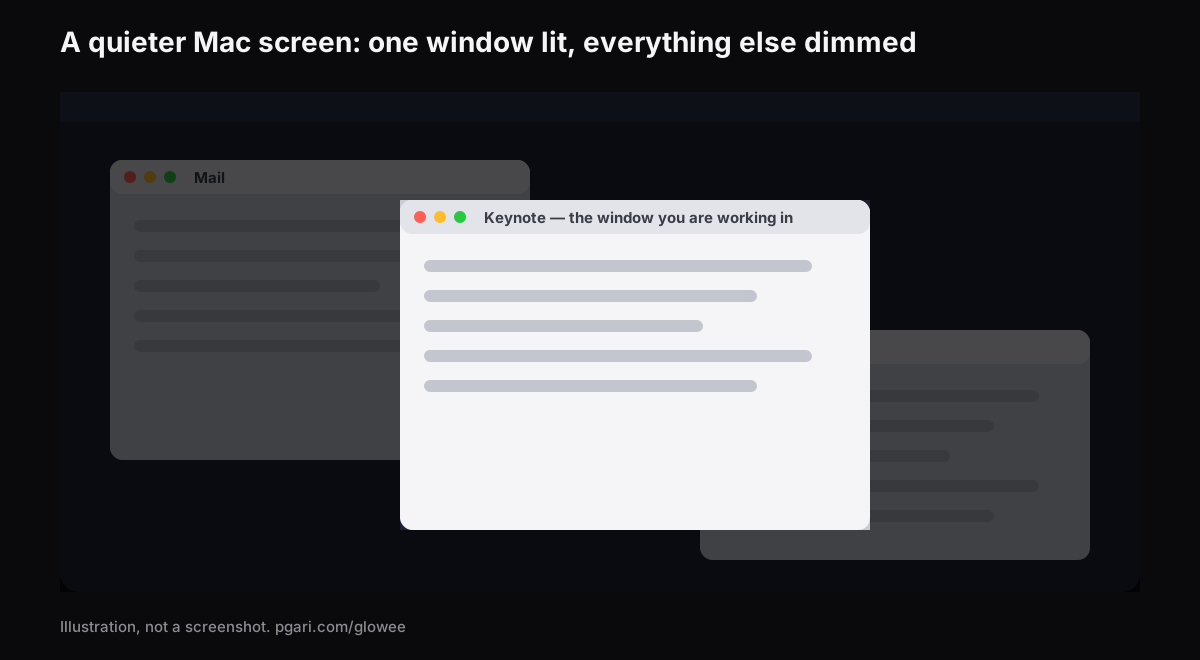
Short answer: if you are shopping for an ADHD focus app for the Mac, here is the honest position on this one. Glowee is a tool for your screen. It is not an aid for ADHD. Its Spotlight feature turns down everything on the display bar the window you are working in — any Mac, any screen — and a single shortcut, ⌃ ⌥ ⌘ S, puts it on and off. That is the whole of the contribution. There is no website blocker in it, no clock, no planner and no control over notifications, and it makes no claim whatever about ADHD, its symptoms or its treatment. If a cluttered screen really is one of the things pulling you off task, Glowee turns the clutter down — and macOS itself already ships a long list of free settings, paths given below, that quiet a good deal more than that.
Start with the settings you have already paid for
Before buying anything, work down this list. Every row is a setting already in macOS. The paths are from Apple's UK Mac User Guide for macOS Tahoe 26; older versions of macOS put some of them elsewhere.
| What is competing for your attention | The macOS setting | Where |
|---|---|---|
| Notification banners | A Focus, such as Do Not Disturb | Control Centre → Focus. For Do Not Disturb, Option-click the date and time in the menu bar |
| The one app that will not stop pinging | Allow notifications (off) | System Settings → Notifications → Application Notifications |
| Red badge numbers piling up on Dock icons | Badge application icon (off) | Same panel |
| The noise each notification makes | Play sound for notification (off) | Same panel |
| A Dock full of bouncing icons | Automatically hide and show the Dock; Animate opening applications (off); Show suggested and recent apps in Dock (off) | System Settings → Desktop & Dock |
| The bar across the top | Automatically hide and show the menu bar — Always, On Desktop Only, In Full Screen Only or Never | System Settings → Menu Bar |
| Files strewn over the desktop | Show Items (off) | System Settings → Desktop & Dock → Desktop & Stage Manager |
| Widgets on the desktop | Show Widgets (off) | System Settings → Desktop & Dock → Widgets |
| Things sliding and zooming about | Reduce motion | System Settings → Accessibility → Motion |
| GIFs looping in the corner of your eye | Auto-play animated images (off) | Same panel |
| The insertion point blinking at you | Prefer non-blinking cursor | Same panel |
| See-through backgrounds | Reduce transparency | System Settings → Accessibility → Display |
| The furniture around a web article | Safari Reader | Smart Search field → Show Reader |
Three of them repay a closer look.
A Focus can start itself. In System Settings → Focus, add a Focus and give it a schedule — by time, by place, or by app, so it comes on when you open the thing you are meant to be doing. Nothing to remember.
Full screen clears the decks. The green button at the window's top-left does it. Apple's own phrase for the result is working "without desktop distractions," and with the menu bar set to hide as well you are down to the document and very little else.
Hide rather than close. Option-Command-H puts every app except the front one out of sight while losing nothing. Stage Manager does much the same thing continuously, holding the app you are using front and centre and lining the others up down the left-hand side.
Most people who search for an ADHD focus app have not yet done any of this, and it costs nothing.
Where Glowee fits, and where it does not
Those last two moves — full screen, and Option-Command-H — work by taking the other windows out of view, which is no use at all for a good half of real work. Writing from a source, coding against documentation, filling in a form from an email — each of them needs two or three windows in view, and only one of them is the window you are actually inside at any given second.
That is precisely the gap Spotlight fills. Nothing is moved or closed; everything except the window you are in is simply turned down.
- Off, Soft or Strong — Soft on a tidy screen, Strong when it is anything but.
- It keeps up. Move to another window and the lit area moves with you.
- One chord. ⌃ ⌥ ⌘ S from inside any app, returning at the depth you last chose.
- Nothing to set up. A sun in the menu bar and one menu behind it. No window, no preferences pane.
- Whatever screen you have, built in or plugged in, XDR or otherwise — a MacBook Air is fine.
Where the Mac is a MacBook Pro with a Liquid Retina XDR panel, or anything else with EDR, Glowee will also push the brightness of that one window up (Boost Area → Active Window), so the lit window rises as the rest sinks. That half of it depends on the panel and is simply unavailable on a MacBook Air. Glowee's terms note that running a display brighter "uses more power and generates more heat, exactly as raising the built-in brightness slider does."
Worth knowing before a call: the shading is an on-screen layer, so a shared screen or a recording passes it on to everybody watching. Hit ⌃ ⌥ ⌘ S beforehand if you would rather it did not.
The kinds of tool people mean by an ADHD focus app
Search results for this mix several categories that solve entirely different problems. The last row — the window dimmer — is added because that is the category Glowee belongs to; it is not one the search data throws up on its own.
| Kind of tool | Example | How its maker describes it |
|---|---|---|
| Website and app blocker | Freedom | "App, Website & Internet Blocker" |
| Focus timer | Forest | "A mindful focus timer" |
| Body doubling | Focusmate | "Virtual body doubling for getting anything done" |
| Visual planner | Tiimo | "Visual Planner for Every Neurotype" |
| Task management | Todoist | "A To-Do List to Organize Your Work & Life" |
| Small single-purpose tools | Goblin Tools | "small, simple, single-task tools, mostly designed to help neurodivergent people with tasks they find overwhelming or difficult" |
| Window dimmer | HazeOver | "automatically highlights the front window by dimming background windows" |
Every description above is in the maker's own words, from the maker's own site. Glowee belongs in the bottom row and in none of the others. Which row is worth paying for turns on what actually gets in your way — your question, and one for any clinician or coach you work with. A sales page is a poor place to settle it, and that includes this page.
What Glowee does not do
- No website blocker and no app blocker.
- No control over notifications. A Focus is what does that.
- No timer, no task list, no planner.
- It is not a medical device, not a treatment and not an ADHD aid. Nothing on this page is medical advice.
Questions people ask about ADHD focus apps
What are the best focus apps for people with ADHD?
Entirely down to what gets in your way, and a page that sells one app is in no position to rank the others. The kinds are set out in the table above — blockers, timers, body doubling, planners, task managers, window dimmers. Glowee is worth considering only if a crowded screen is one of the things in your way.
Do any ADHD apps actually work?
Not a question this page can answer, and Glowee makes no claim about ADHD at all. What can be said is what the software does: with Spotlight running, the screen around your window is turned down. Whether that helps you is something a week of the free trial will settle more honestly than any review.
Does it take the competing things off the screen?
No — it shades them. Every other window stays open and clickable, sitting at Soft or Strong. If you want them gone rather than dimmed, that is full screen or Option-Command-H.
Is there a free, built-in way to do most of this?
There is, and it is the first table on this page. A Focus, the Notifications settings, Reduce motion, a hidden Dock and menu bar, full screen, Stage Manager and Safari Reader all come with macOS. Begin there.
How do I make a Mac better for getting work done?
Work down that table. Put the notifications behind a Focus, strip the badges and sounds from apps that do not matter, hide the Dock and clear the desktop, turn the motion down. Only then is it worth asking whether you also want the background windows shaded.
Does Glowee work on a MacBook Air?
Spotlight does, as it does on any Mac screen. The extra brightness does not: for that you need an XDR or other EDR panel.
Can I try it before paying?
Yes. In the developer's own words, Glowee "works fully for seven days with no account and no card". After that it is a one-off purchase — one Mac, or three Macs on one key — and you have 30 days to ask for your money back.
Try it on your own screen
PGari Glowee is a single menu bar app of under 2 MB, for macOS 13 or later, universal across Apple silicon and Intel. Nothing goes into the system — no kernel extensions, no background helpers — and quitting it puts the display straight back. The same feature, looked at from three other angles: turning down the windows you are not using, keeping one window in focus and marking out the window in front.
More Glowee guides
- Dim inactive windows on a Mac: what macOS gives you and what an app adds
- Focus on a window on a Mac: what Focus mode does, and what it leaves alone
- Highlight the active window on a Mac: dim the rest, or brighten the one
- MacBook Pro brightness: where the slider stops and the panel carries on
- Screen record on a Mac, and make it obvious which window you mean
Sources
- support.apple.com/en-gb/guide/mac-help/mchl613dc43f/mac
- support.apple.com/en-gb/guide/mac-help/mchl999b7c1a/mac
- support.apple.com/en-gb/guide/mac-help/mh40583/mac
- support.apple.com/en-gb/guide/mac-help/mchlp1119/mac
- support.apple.com/en-gb/guide/mac-help/mchlad96d366/mac
- support.apple.com/en-gb/guide/mac-help/mchlc03f57a1/mac
- support.apple.com/en-gb/guide/mac-help/unac089/mac
- support.apple.com/en-gb/guide/mac-help/mchl9c21d2be/mac
- support.apple.com/en-gb/guide/mac-help/mchl534ba392/mac
- support.apple.com/en-gb/102650
- support.apple.com/en-gb/guide/safari/sfri32632/mac
- freedom.to
- forestapp.cc
- focusmate.com
- tiimoapp.com
- todoist.com
- goblin.tools/About
- hazeover.com