 PGari Glowee: Mac brightness with window spotlight
An ADHD focus app for the Mac: read this before you buy one
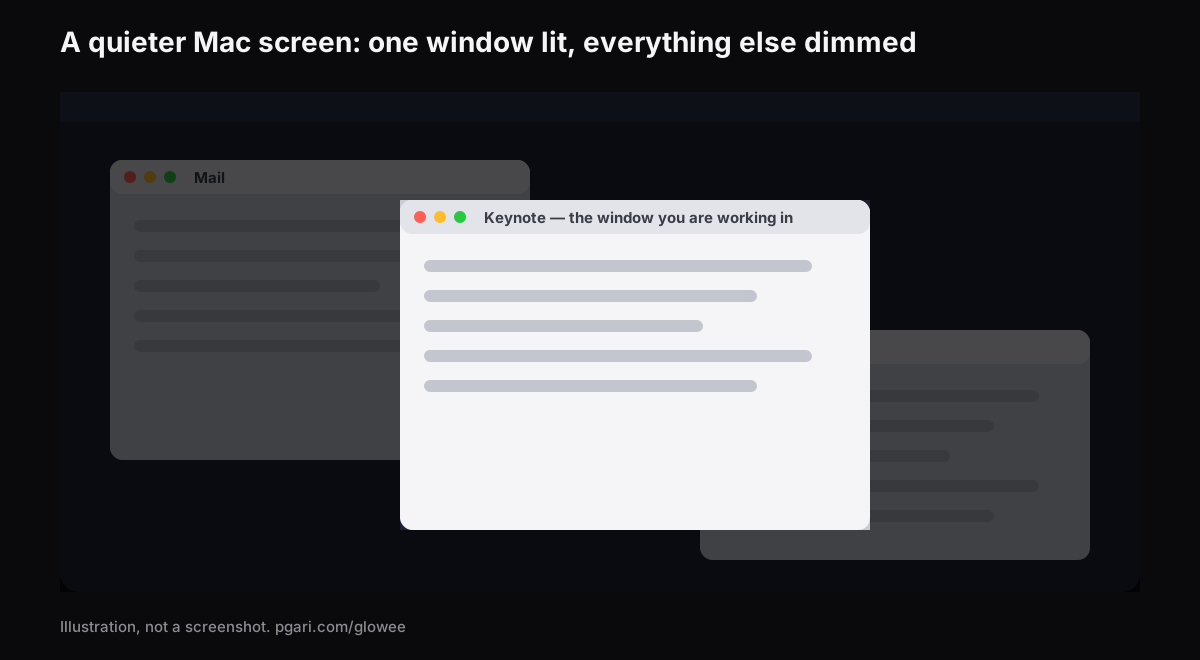
Short answer: If you searched for an ADHD focus app for the Mac and landed here, the honest position is this. PGari Glowee is a screen tool. It is not an ADHD aid, not a treatment and not a medical device, and it makes no claim about ADHD, its symptoms or anything else. What it does is narrow: its Spotlight feature dims everything on the screen except the window you are working in, on any Mac display, and ⌃ ⌥ ⌘ S switches that on and off. That is the whole of its contribution. It blocks nothing, times nothing, plans nothing and silences no notifications. If a cluttered screen is one of the things pulling at you, this turns the clutter down — and before you pay for anything at all, macOS has a long list of settings that quiet a good deal more for nothing.
Nothing on this page is medical advice, and no part of it should be read as one.
Six categories hide behind the phrase "ADHD focus app"
The apps that surface for this search solve genuinely different problems. The last row is added because it is the category Glowee belongs to; the others come from the search cluster itself.
| Category | Example | How its maker describes it |
|---|---|---|
| A blocker for sites and apps | Freedom | "App, Website & Internet Blocker" |
| A timer | Forest | "The #1 Focus App for Time Well Spent" |
| Working alongside someone | Focusmate | "Virtual body doubling for getting anything done" |
| Planning visually | Tiimo | "Visual Planner for Every Neurotype" |
| Lists and tasks | Todoist | "A To-Do List to Organize Your Work & Life" |
| One-job helpers | Goblin Tools | "small, simple, single-task tools, mostly designed to help neurodivergent people with tasks they find overwhelming or difficult" |
| Window dimmer (added) | HazeOver | "This app automatically highlights the front window by dimming background windows" |
Each description is that maker's own wording, taken from its own site. Glowee sits in the last row and nowhere else. Which category is worth your money depends on what actually gets in your way — a question for you, and for whichever clinician or coach you work with. A page selling one app is a poor place to settle it, and this page will not try.
What macOS can quiet down before you spend a cent
Put ADHD aside for a paragraph and look at the screen on its own terms. While you work in one window, all of this moves, flashes or sits in the corner of your eye. Every item has a setting already on your Mac. The paths below come from Apple's Mac User Guide.
| What is pulling at you | The setting | Where to find it |
|---|---|---|
| Banners in the corner | A Focus, such as Do Not Disturb | Control Centre → Focus, or Option-click the date and time in the menu bar |
| The one app that never stops pinging | Allow notifications (off) | System Settings → Notifications → Application Notifications |
| Red number badges on Dock icons | Badge application icon (off) | Same place |
| The sound a notification makes | Play sound for notification (off) | Same place |
| Message content shown in the banner | Show previews (off) | Same place |
| The Dock itself, and its bouncing icons | Automatically hide and show the Dock, plus Animate opening applications and Show suggested and recent apps in Dock switched off | System Settings → Desktop & Dock |
| The menu bar along the top | Automatically hide and show the menu bar, set to Always, On Desktop Only, In Full Screen Only or Never | System Settings → Menu Bar |
| Files piled up on the desktop | Show Items: On Desktop (off) | System Settings → Desktop & Dock → Desktop & Stage Manager |
| Widgets sitting on the desktop | Show Widgets: On Desktop (off) | System Settings → Desktop & Dock → Widgets |
| Sliding and zooming in the interface | Reduce motion | System Settings → Accessibility → Motion |
| Animated GIFs in Messages and Safari | Auto-play animated images (off) | Same panel as Reduce motion |
| The blinking text cursor | Prefer non-blinking cursor | Same panel |
| Translucent backgrounds | Reduce transparency | System Settings → Accessibility → Display |
| Adverts and sidebars around a web article | Safari Reader | Smart Search field → Show Reader |
Apple's motion panel also carries Dim flashing lights, which "automatically dim[s] the display of content that depicts flashing or strobing lights" on Apple silicon Macs. Apple attaches its own caution to it, and it is worth repeating verbatim: it "should not be relied upon for the treatment of any medical condition."
Three of these repay a closer look.
A Focus can start itself. In System Settings → Focus, give one a schedule — Apple's own description is that it turns on "at a set time, location or while using a certain app." The app trigger means you never have to remember; open the editor, the quiet arrives with it.
Full screen removes the rest outright. The green button, top-left of the window. Apple's phrase is that this lets you "work without desktop distractions." The menu bar and the Dock then appear only when you move the pointer to them.
Hiding beats closing. Option-Command-H keeps the front app and hides every other one, without losing your place in any of them. Stage Manager does something similar continuously, keeping the current app "front and centre" with the recent ones lined up on the left.
Work down that list first. It costs nothing, it survives a reinstall, and it removes more from the screen than any app can.
The one narrow job Glowee does
Full screen and Option-Command-H both work by removing the other windows from view. That does not suit every task. Writing from a source, coding against documentation, filling in a form from an email, keeping a call visible while you take notes — all of them need two or three windows in view, and only one of them is live at any given second.
That is the gap Spotlight sits in. It leaves every window exactly where it is and dims everything except the one you are in.
- Three states: Off, Soft, Strong. Soft or Strong depending on how busy the screen is.
- It follows the click. Click another window and the light follows.
- One chord. ⌃ ⌥ ⌘ S from any app, on or off, and it comes back at whichever level you left it on.
- No need to start Glowee first. Choosing Soft or Strong starts it if it was off, and moves Boost Area from Whole Screen to Active Window, because Spotlight needs one window to light.
- Any Mac display. Plain dimming, no special panel required — a MacBook Air, an old external monitor, both fine.
- Nothing to configure. One sun in the menu bar and one menu. There is no window, no preferences pane and nothing else to set.
On a MacBook Pro with a Liquid Retina XDR display, or another EDR screen, it can also raise the brightness of just that one window (Boost Area → Active Window), so the live window rises while the rest steps back. That half needs an XDR or EDR panel and will not happen on an Air. Running a display brighter uses more power and generates more heat, exactly as raising the built-in slider does — worth knowing if you are working off battery.
One practical note before a call: Spotlight is drawn on the screen, so it appears in screen recordings and in a shared screen. Whoever you are sharing with sees the dimming too. ⌃ ⌥ ⌘ S first, if you would rather they did not.
Things Glowee is not
- Not a blocker. It does not stop you opening anything.
- Not a notification manager. That is what a Focus is for.
- Not a timer, a task list or a planner.
- Not a medical device. Not a treatment. Not an ADHD aid.
Questions that come up around ADHD focus apps
Which focus apps work best for people with ADHD?
That depends on what gets in your way, and a page selling one app has no business ranking them. The categories are in the table above — blockers, timers, body doubling, planners, task managers, window dimmers. Glowee is a candidate only if a crowded screen is part of the problem.
Do any ADHD apps actually work?
No page selling software can answer that honestly, and this one will not pretend to. Glowee makes no claim about ADHD at all. The only claim here is a mechanical one: switch Spotlight on and everything outside your window goes down. Whether a quieter screen helps you is something the free trial answers better than any sales page.
Does it take away the things competing for your attention?
It dims them, it does not remove them. Other windows stay open and one click away, just turned down. Removing them is full screen's job, or Option-Command-H's.
Do I prefer free built-in tools or a paid app?
Start free. Focus, the Notifications settings, Reduce motion, hiding the Dock and the menu bar, full screen, Stage Manager and Safari Reader are all in macOS already and are listed above. Only afterwards is it worth asking whether you still want the background windows turned down.
How do I make a Mac better to work on?
Work through the table top to bottom: silence notifications with a Focus, kill badges and sounds for the apps that do not matter, hide the Dock and the desktop items, cut the motion. Then decide about the windows.
Does Glowee work on a MacBook Air?
Spotlight does, on any Mac display. The extra brightness does not — it needs an XDR or other EDR panel.
Can I try it before paying?
Yes. It runs fully for seven days with no account and no card. Once the week is up it is a one-off purchase — one Mac, or three Macs on one key, with a refund window of 30 days.
Judge it on your own screen
PGari Glowee is a menu bar app under 2 MB in size, for macOS 13 and later, universal across Apple silicon and Intel. No kernel extensions, no background helpers; quit it and the display goes straight back to normal. On the same feature: dimming inactive windows, keeping one window in focus and marking out the active window.
More Glowee guides
- Dim inactive windows on a Mac without closing a single one
- How to focus on a window on a Mac, and what Focus mode will not do
- How to highlight the active window on a Mac when the screen is full
- MacBook Pro brightness when the sun is winning
- How to screen record on a Mac and keep the attention on one window
Sources
- support.apple.com/en-za/guide/mac-help/mchl613dc43f/mac
- support.apple.com/en-za/guide/mac-help/mchlff5da36d/mac
- support.apple.com/en-za/guide/mac-help/mchl999b7c1a/mac
- support.apple.com/en-za/guide/mac-help/mh40583/mac
- support.apple.com/en-za/guide/mac-help/mchlp1119/mac
- support.apple.com/en-za/guide/mac-help/mchlad96d366/mac
- support.apple.com/en-za/guide/mac-help/mchlc03f57a1/mac
- support.apple.com/en-za/guide/mac-help/unac089/mac
- support.apple.com/en-za/guide/mac-help/mchl9c21d2be/mac
- support.apple.com/en-za/guide/mac-help/mchl534ba392/mac
- support.apple.com/en-za/102650
- support.apple.com/en-za/guide/safari/sfri32632/mac
- freedom.to
- forestapp.cc
- focusmate.com
- tiimoapp.com
- todoist.com
- goblin.tools/About
- hazeover.com