 PGari Glowee: Mac brightness with window spotlight
Dim inactive windows on a Mac: the two apps that actually do it
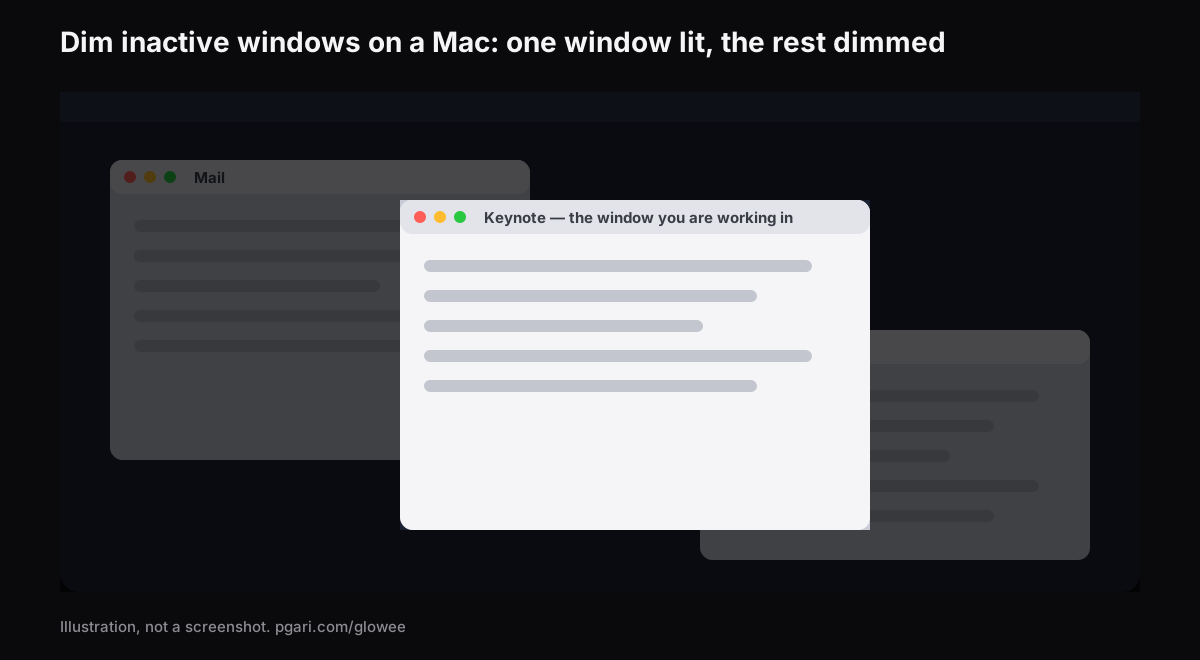
Short answer: There is no macOS setting for this, so to dim inactive windows on a Mac you have to install something. Apple's published settings lists — Desktop & Dock in one place, Accessibility → Display in another — contain no entry that turns down the windows behind the one you are using, and the window tools in the Mac User Guide solve the problem by removal rather than by dimming: full screen hands the display to a single app, Stage Manager parks the rest along the left edge, Option-Command-H makes them disappear. Two apps dim instead. HazeOver, the search term almost everyone types, says it "automatically highlights the front window by dimming background windows" and gives you dials for how much. PGari Glowee does it from one line on its menu — Spotlight, set to Off, Soft or Strong, thrown with ⌃ ⌥ ⌘ S — on every Mac display, and the dimming shows up in screenshots and recordings.
Arrived here with the reverse complaint, a Mac that dims by itself the moment you stop typing? Jump to the last section but one, which lists the three settings Apple documents for it.
What macOS actually offers for the windows behind you
Every window tool Apple describes works by removal.
- Full screen. The green button at a window's top-left corner does it, as does Control-Command-F in apps that support the shortcut. In Apple's phrasing, "an app fills the entire screen — so you can take advantage of every inch of the screen and work without desktop distractions."
- Stage Manager. Apple's aim for it is to "keep the app you're working with front and centre, and your desktop clutter-free", with recently used apps lined up down the left of the screen. Switch it on in System Settings → Desktop & Dock → Desktop & Stage Manager, or from Control Centre.
- Hiding everything else. Straight from the shortcut list: "To view the front app but hide all other apps, press Option-Command-H."
Read Apple's own full inventory of Desktop & Dock settings — Dock, Desktop & Stage Manager, Widgets, default browser, Windows, Mission Control, Hot Corners — and then the full inventory of Accessibility → Display settings, and no entry dims a background window. The single dimming item in the first list, Dim widgets on desktop, does nothing but pick a style for widgets.
Removal is the correct tool when one window is genuinely all the work requires. It is the wrong tool the moment the other windows have to remain visible: the source you are quoting from, the WhatsApp Web tab you keep half an eye on, the terminal below the editor, a client brief parked in a second browser window. To dim inactive windows on a Mac is to disturb none of that layout — every window keeps its place, and the ones you are not using simply drop back.
Two apps that dim inactive windows on a Mac
HazeOver
HazeOver is the name behind most of these searches. Its own summary is that it "automatically highlights the front window by dimming background windows", and it trades under Distraction Dimmer, which is its trademark. The controls its site lists:
- Intensity and animation speed set by you — "a soft shade to guide your attention or a bold dark background for total immersion"
- A keyboard shortcut for the shading, and a gesture that changes how strong it is
- Independent dimming settings for Light and for Dark appearance
- Fn held down to drop the dimming for a moment while dragging between apps
- The desktop uncovered automatically as you use it
- Automation through the Shortcuts app, Focus filters and AppleScript, with settings reachable from Spotlight and Control Centre since version 1.9.7
- For several screens: "See which screen is active, or highlight windows on each monitor"
macOS 12 Monterey or later is the requirement for the shipping version, with a beta posted for macOS 27 Golden Gate. A free trial is offered, and the app is also available on the Mac App Store and through Setapp.
PGari Glowee
Glowee lives in the menu bar and calls its dimming feature Spotlight. Quoting its own page: "Spotlight dims everything except the window you are in."
- Three positions — Off, Soft, Strong — chosen by how cluttered the screen is at that moment.
- ⌃ ⌥ ⌘ S throws it from wherever you are, returning at whichever level you last had.
- Click into a different window and the light moves with you.
- Every Mac display qualifies, XDR or otherwise, built in or plugged in — a MacBook Air very much included.
- Nothing to configure. One menu holds the lot; there is no preferences pane.
Side by side
| HazeOver | PGari Glowee (Spotlight) | |
|---|---|---|
| What it does | Highlights the front window by dimming background windows | Dims everything except the window you are in |
| How much dimming | Intensity, colour and animation speed you adjust | Three positions: Off, Soft, Strong |
| Switching it | Keyboard shortcut; a gesture for intensity; Fn while dragging | ⌃ ⌥ ⌘ S, or the menu bar |
| Light and Dark appearance | Independent settings for each | Nothing to configure beyond the menu |
| Automation | Shortcuts app, Focus filters, AppleScript | None; you throw it yourself |
| Displays | "See which screen is active, or highlight windows on each monitor" | Any display, built in or external |
| Requires | macOS 12 Monterey or later | macOS 13 or later, universal for Apple silicon and Intel |
| Trying and buying | Free trial; Mac App Store; Setapp | Free for 7 days; one-time purchase — one Mac, or three Macs on one key; 30-day refund |
Each column is drawn from that app's own site: hazeover.com and pgari.com/glowee/.
Want the shade tuned, tinted, or swapped automatically with Dark Mode or with a Focus? HazeOver's site lists a control for every one of those. Want a single switch and no setup at all? That is the Glowee side of the table. Glowee then adds a second trick, which is only of interest if there is an XDR panel in the machine.
On an XDR display: darker outside the window, brighter inside it
Dimming only ever works downward — the surroundings recede and the window you are reading gains nothing. On a 14-inch or 16-inch MacBook Pro from 2021 onwards, on a Pro Display XDR, or on another EDR display, Glowee can work in both directions at once. Put Boost Area on Active Window and the window in front of you is carried past the top of the brightness slider, by a factor of 1.20, 1.38 or 1.50 at Low, Medium and Max, as far as the display's free headroom allows. Turn Spotlight on beside it and the lit window climbs while everything around it falls away.
That second half is a property of the panel. Extra brightness demands an EDR display, which rules out a MacBook Air and rules out ordinary external monitors; Spotlight carries on regardless, being nothing more than dimming. The MacBook Pro brightness guide has the detail.
What happens in recordings and on a shared screen
Spotlight is painted onto the screen, which means a screenshot or a screen recording picks it up as it would pick up any window. Take a class over a shared screen, or record a walkthrough for a client three time zones away, and the audience gets precisely your view: one window lit, the remainder pulled back, and no masking to do afterwards in the edit. Extra Brightness behaves in reverse — captures leave it out entirely, so boosted footage plays back looking perfectly ordinary.
There is more on that in Spotlight for screen recordings and in highlighting the active window.
If you meant a Mac screen that dims when left alone
Most of the related questions Google attaches to this search are about the display rather than the windows — a screen that fades or switches off while the Mac sits idle. Apple documents three settings worth checking.
- The display switches off too soon. System Settings → Lock Screen. Both Turn display off on battery when inactive and Turn display off on power adapter when inactive hold a duration, which Apple describes as how long the Mac may be inactive "before the screen saver starts". Pick a longer one.
- It is dimmer away from a socket. System Settings → Battery, Additional Options, Slightly dim the display on battery: "Conserve energy by dimming the display when your Mac is not plugged in."
- The brightness drifts on its own. Where a Mac has an ambient light sensor, System Settings → Displays carries Automatically adjust brightness. Apple's caution is that switching it off "may affect battery life, energy consumption and long-term display performance".
Questions readers send in
Is there an application to dim all windows except the active one?
At least two of them. HazeOver turns the background windows down with intensity, colour and automation under your control. Glowee's Spotlight turns everything but your current window down at one of three fixed levels, thrown with ⌃ ⌥ ⌘ S, and on an XDR panel it can raise that window as well.
Can macOS dim inactive windows without an app?
Nothing in Apple's documentation describes such an option; neither the Desktop & Dock list nor the Accessibility → Display list carries one. What macOS does offer is removal — full screen for a single app, Stage Manager for the rest along the left edge, Option-Command-H to hide them outright.
How do I stop my Mac from dimming so quickly?
Two places to go. Lengthen the two Turn display off … when inactive durations in System Settings → Lock Screen, then clear Slightly dim the display on battery in System Settings → Battery under Additional Options.
How do I stop my Mac from automatically adjusting brightness?
Clear Automatically adjust brightness in System Settings → Displays. It is only shown on Macs that have an ambient light sensor.
Does window dimming work on a MacBook Air or an external monitor?
It does. Spotlight is plain dimming, so any display qualifies, internal or external. It is the extra brightness — and only the extra brightness — that insists on an XDR or other EDR panel.
What is the best focus app for Mac?
Depends what is actually pulling you off task. Notifications belong to Focus, which ships with macOS. A crowded screen is the window dimmer's department. Focusing on one window on a Mac sets out where the line falls.
Can I test it before paying?
Seven days, every feature open, no account and no card. After that it is a one-time purchase — one Mac, or three Macs on one key, with a 30-day refund. A free trial is on offer from HazeOver too.
Try it on your own screen
PGari Glowee is a single menu bar app under 2 MB, built for macOS 13 or later and universal across Apple silicon and Intel. No kernel extension is installed and no background helper is left running; quit the app and the display goes straight back to normal.
More Glowee guides
- An ADHD focus app for Mac? This one only dims the screen
- Focus on a window on a Mac when the other windows have to stay open
- Highlight the active window on a Mac, and leave the pointer alone
- MacBook Pro brightness: reaching the nits the slider holds back
- Screen record on a Mac so your viewers know which window to watch
Sources
- hazeover.com
- apps.apple.com/app/id430798174?mt=12
- support.apple.com/en-in/guide/mac-help/mchlp1119/mac
- support.apple.com/en-in/guide/mac-help/unac089/mac
- support.apple.com/en-in/guide/mac-help/mchlp2469/mac
- support.apple.com/en-in/guide/mac-help/mchl9c21d2be/mac
- support.apple.com/en-in/guide/mac-help/mchl534ba392/mac
- support.apple.com/en-in/102650
- support.apple.com/en-in/guide/mac-help/mh11784/mac
- support.apple.com/en-in/guide/mac-help/mchlfc3b7879/mac
- support.apple.com/en-in/guide/mac-help/mchlp2704/mac